



Trucker Guide vs NTTS: Where Truck Service Businesses Get Found First

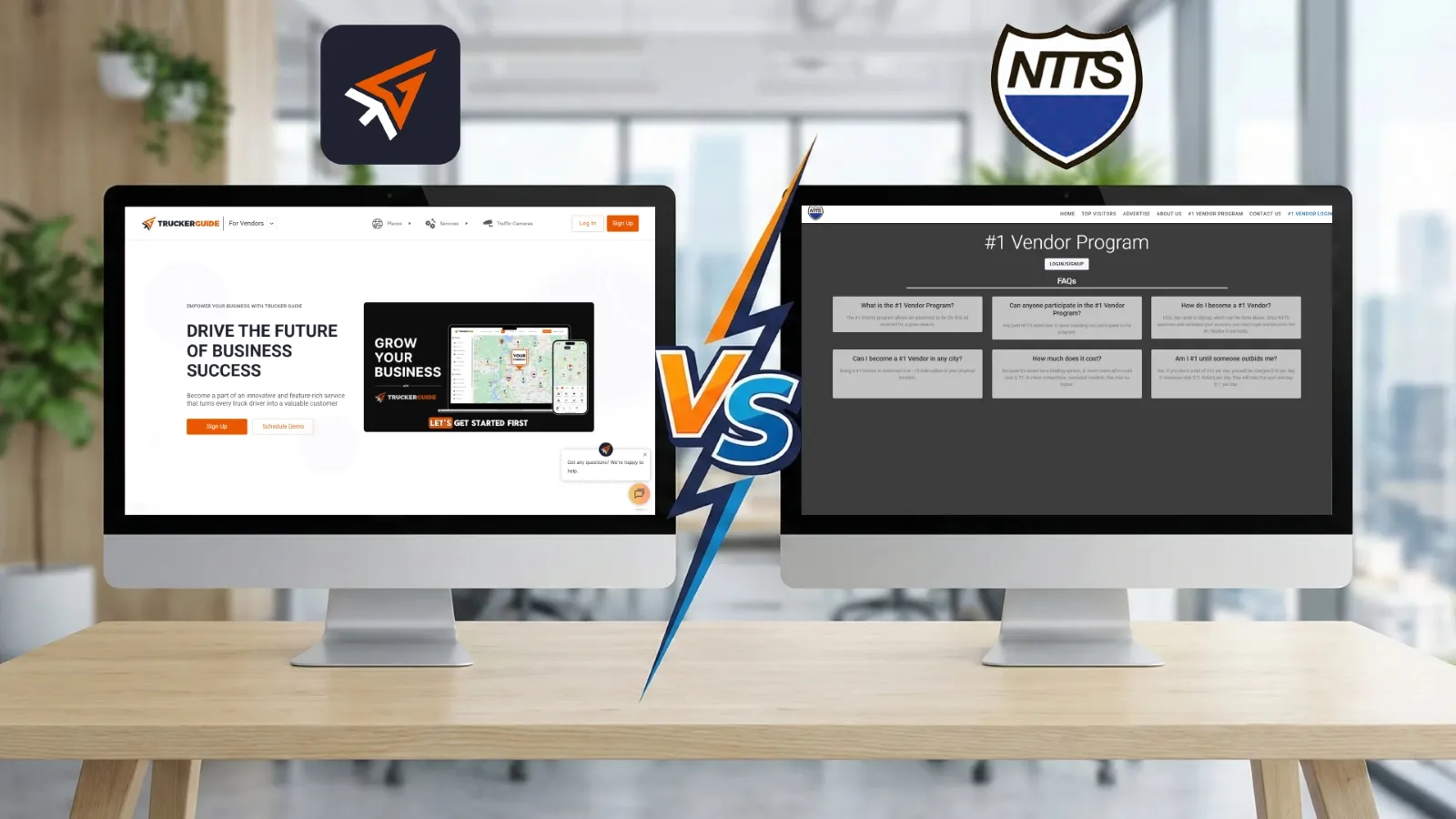
For U.S. truck-related businesses, being visible to drivers when they need services is critical. While traditional directories like NTTS have served vendors for decades, Trucker Guide | for Business is built for today’s digital-first trucking world.
Here’s a detailed, side-by-side comparison across key areas vendors care about.
Quick Summary:
- Trucker Guide uses a real-time GPS map, while NTTS uses a static state-and-category directory.
- Trucker Guide supports structured vendor profiles with services, hours, and amenities, while NTTS listings are typically limited to basic business details.
- Trucker Guide provides performance analytics (views, clicks, calls), while NTTS does not offer tracking tools.
- Trucker Guide offers tiered digital subscription plans, while NTTS traditionally uses fixed annual listing formats.
- Trucker Guide enables proximity-based discovery along driver routes, while NTTS relies on manual browsing of directory categories.
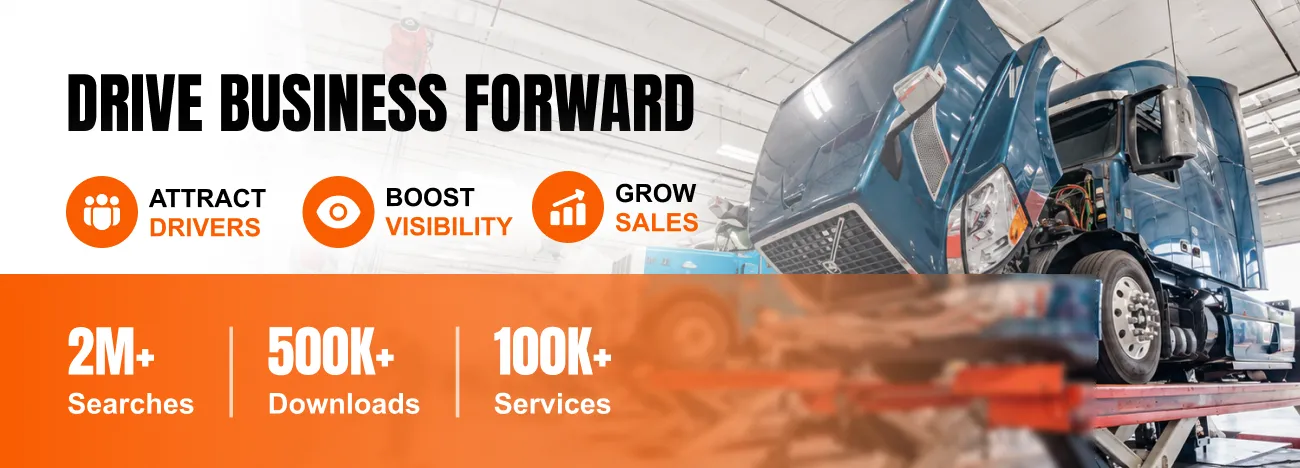
Map Visibility and Search Placement
Trucker Guide centers around a GPS-enabled map that displays all truck services. Vendors appear as pins when drivers search for truck stops, repair shops, towing, or other services.
Businesses can claim top placement in their region or along major routes, and paid plans allow a vendor to push their location to the leading search results in a city or along highways.
You May Also Like: Trucker Guide for Business vs Find Truck Service: A Smarter Choice for Vendor Growth
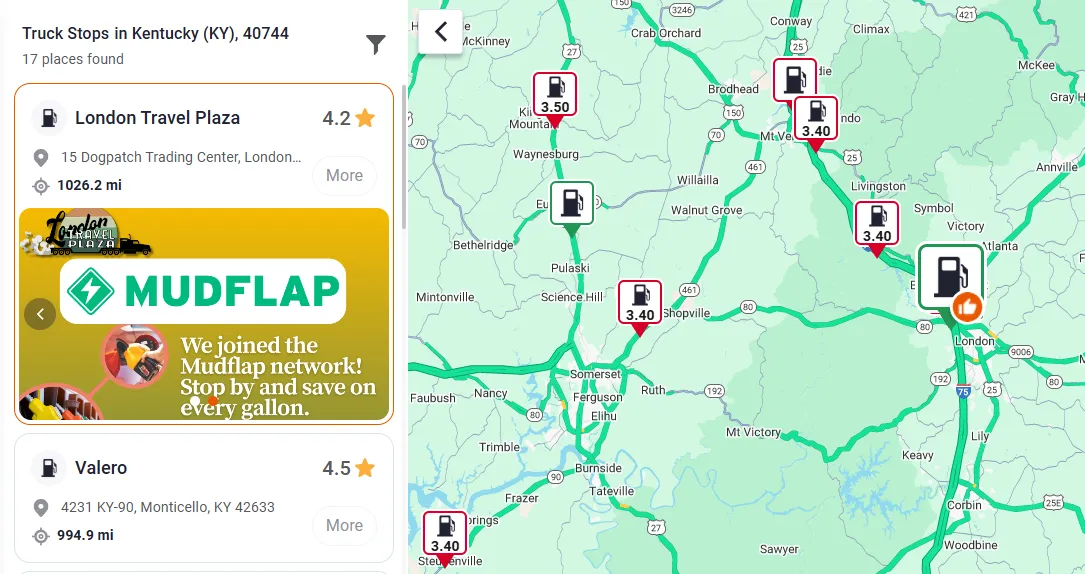
Smart proximity targeting allows a mobile mechanic or repair truck to appear for drivers within a 100-mile radius. For example, a driver stranded on I‑80 will see nearby shops instantly.
By contrast, NTTS relies on a traditional directory structure. Listings are organized by state and service category rather than live proximity, so drivers typically browse a list of vendors and then contact them manually.
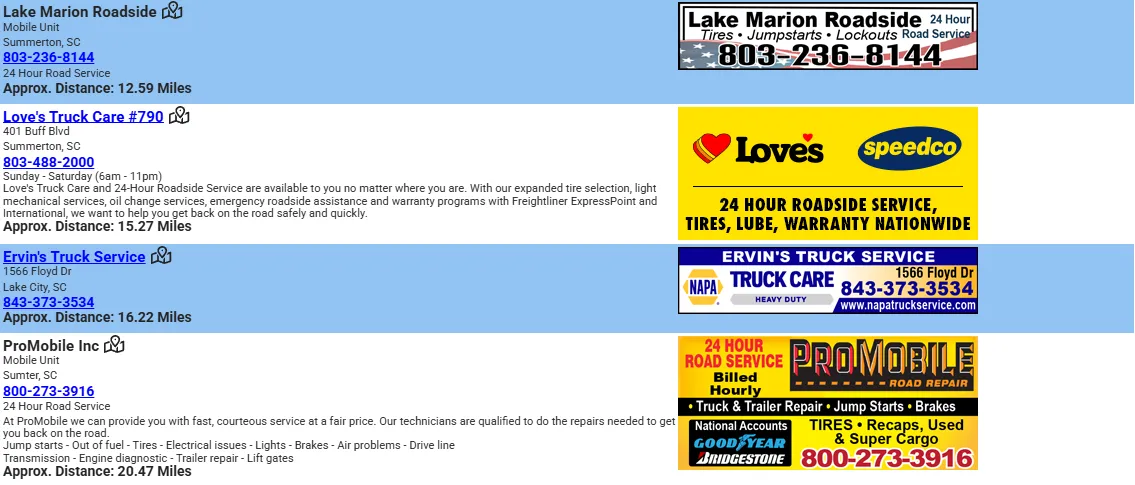
The platform does not dynamically reposition results based on a driver’s exact location or movement along a highway. As a result, vendors are visible only within fixed category pages instead of appearing automatically when a driver nearby needs immediate roadside help.
Trucker Guide’s real-time map and search ranking means drivers see your business when it matters, not just in alphabetical order.
Branded Icons & Badges
To stand out on the map, Trucker Guide lets businesses upload a custom icon or branded badge. Instead of the same generic pin, your map marker can be your actual company logo or a special “Verified” badge.
👉 Research shows that distinctive branding on maps increases engagement up to 90%.
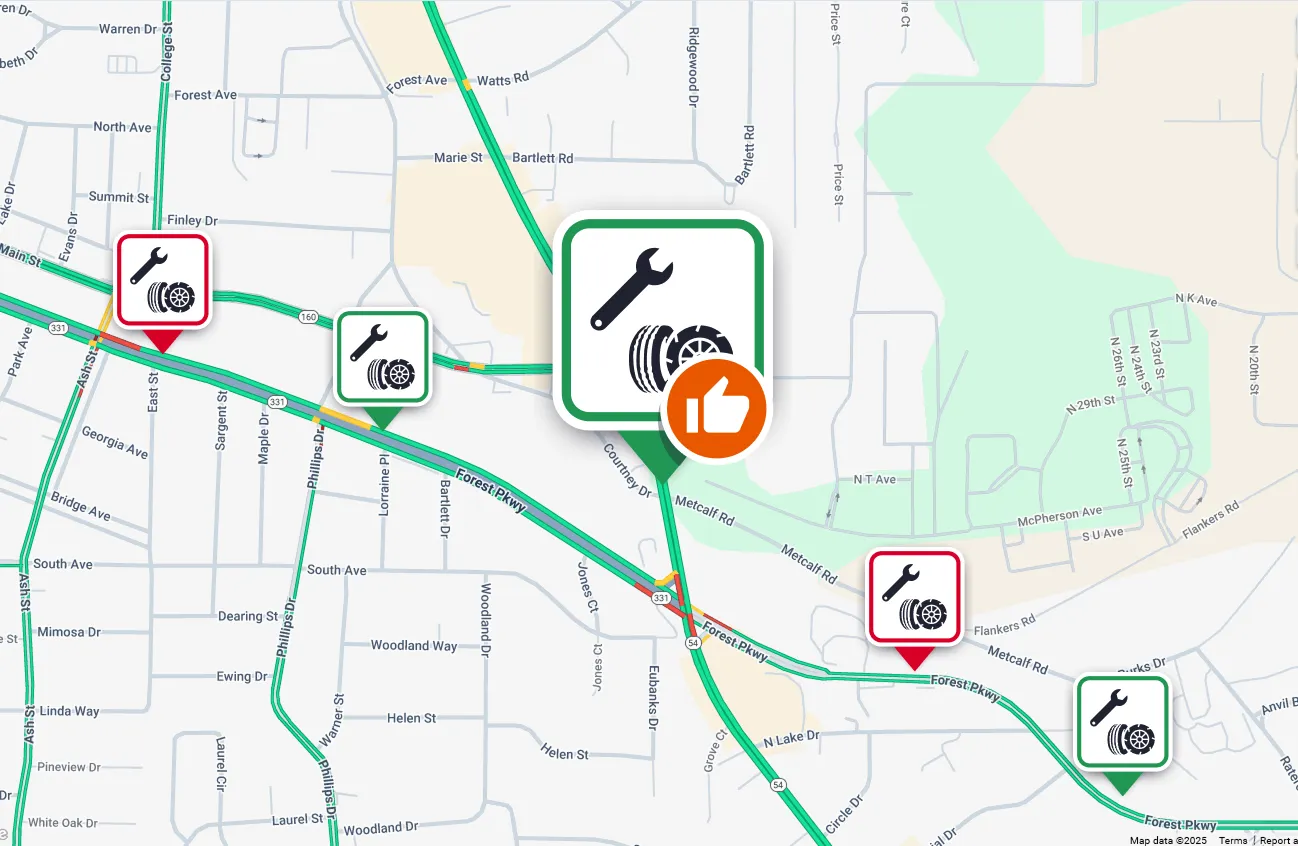
Together with the map targeting, branded icons/badges ensure your business is seen first and foremost by truckers browsing the app. In short, you look like a top choice rather than just “another repair shop.”
By comparison, NTTS does not offer custom icons or branded badges. Their listings appear in a static directory or simple website, without visual markers that make a vendor stand out on a map. This means your business cannot leverage visual branding to attract attention in real time, unlike on Trucker Guide.
Promotional Banners & Videos
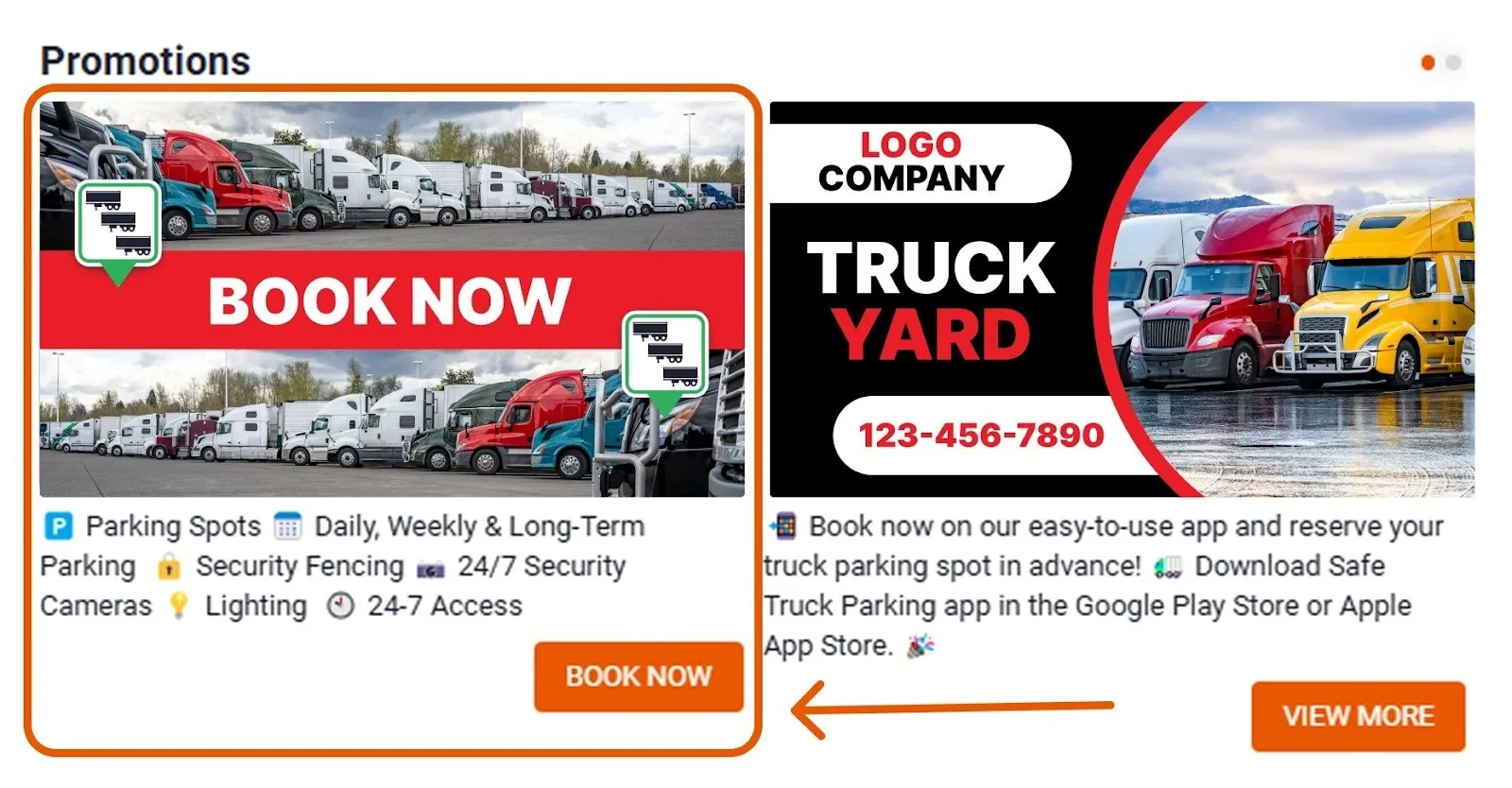
Trucker Guide supports rich media on your company profile to advertise special offers. In your business dashboard, you can upload promotional banners or even a short YouTube video. These appear on your company card that drivers tap into. A banner image might display a seasonal deal (e.g., “10% off all diesel inspections this week”) or a bold ad for your towing service.
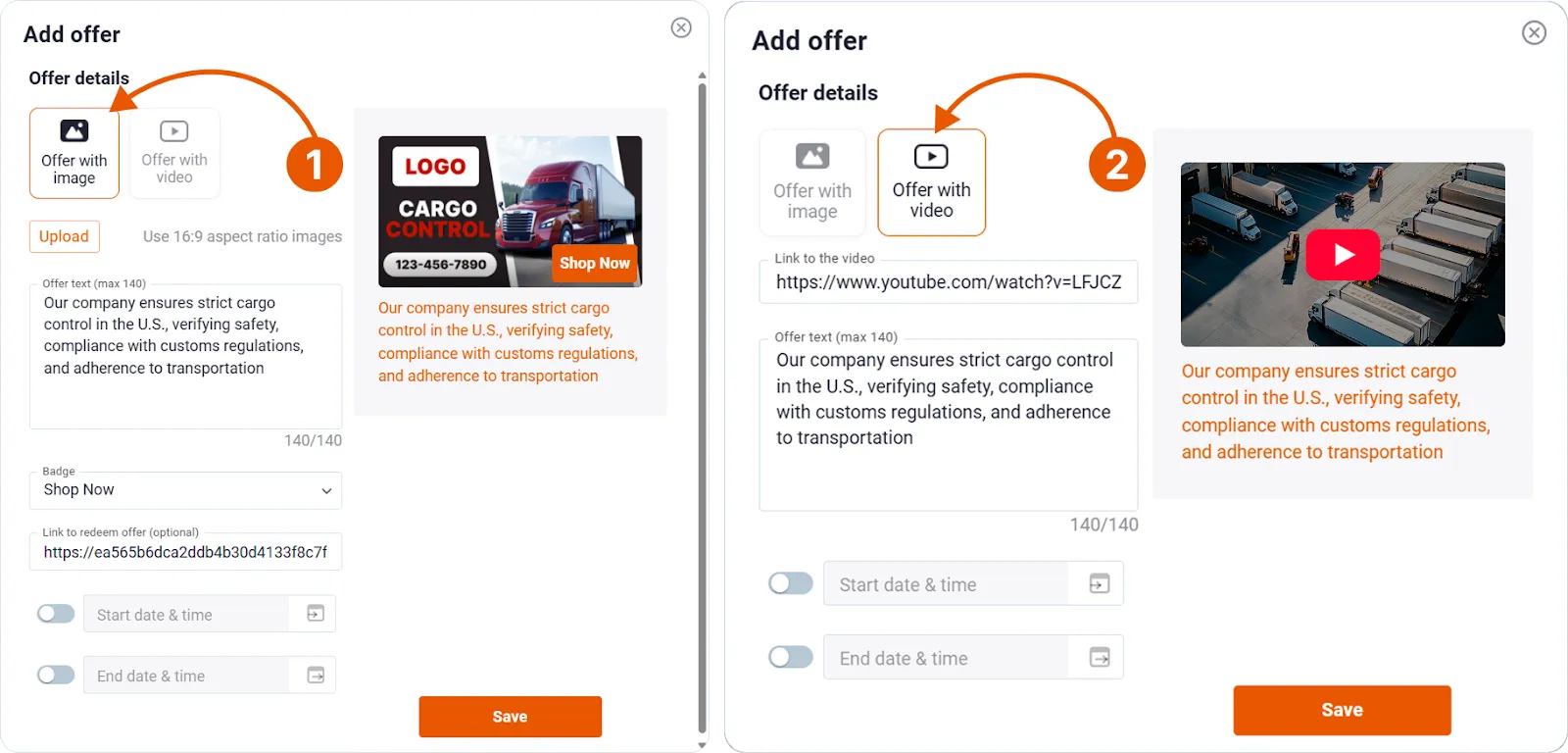
The banner can include “Call Now”, “View More”, or “Book Now” buttons to prompt immediate action. Likewise, an embedded promo video lets you briefly show off your shop, team, or services. Vendors using promotional banners on Trucker Guide report a 40% increase in clicks and calls.
NTTS only supports static image ads in a print or static web directory, so vendors miss out on dynamic promotions that reach drivers in real time.
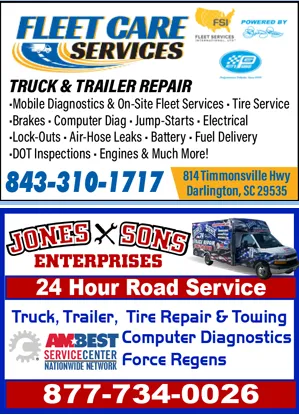
With NTTS, the focus is on being listed in a trusted reference guide rather than on publishing rich, timely promotional content directly in the platform where truckers search and navigate.
Company Card Management (Details & Amenities)
Your company card on Trucker Guide is like your mini-website for truckers. You fill it out in the vendor dashboard with everything drivers need to know. Key fields include your exact address or mobile service area, phone number, website, and email. You also list your working hours (24/7 availability or direct business hours) and your shop’s amenities or services. For example, a shop can indicate services such as tire changes, engine or exhaust system repairs, mobile truck washes, DOT inspections, oil changes, and any other truck-related services.
If you operate a truck stop, you can list restrooms, restaurants, diesel fuel prices, the number of truck parking spots, showers, or other amenities. These details allow drivers to plan their stops efficiently.
You May Also Like: Local Truck Stops: How to Stand Out Against Big Chains
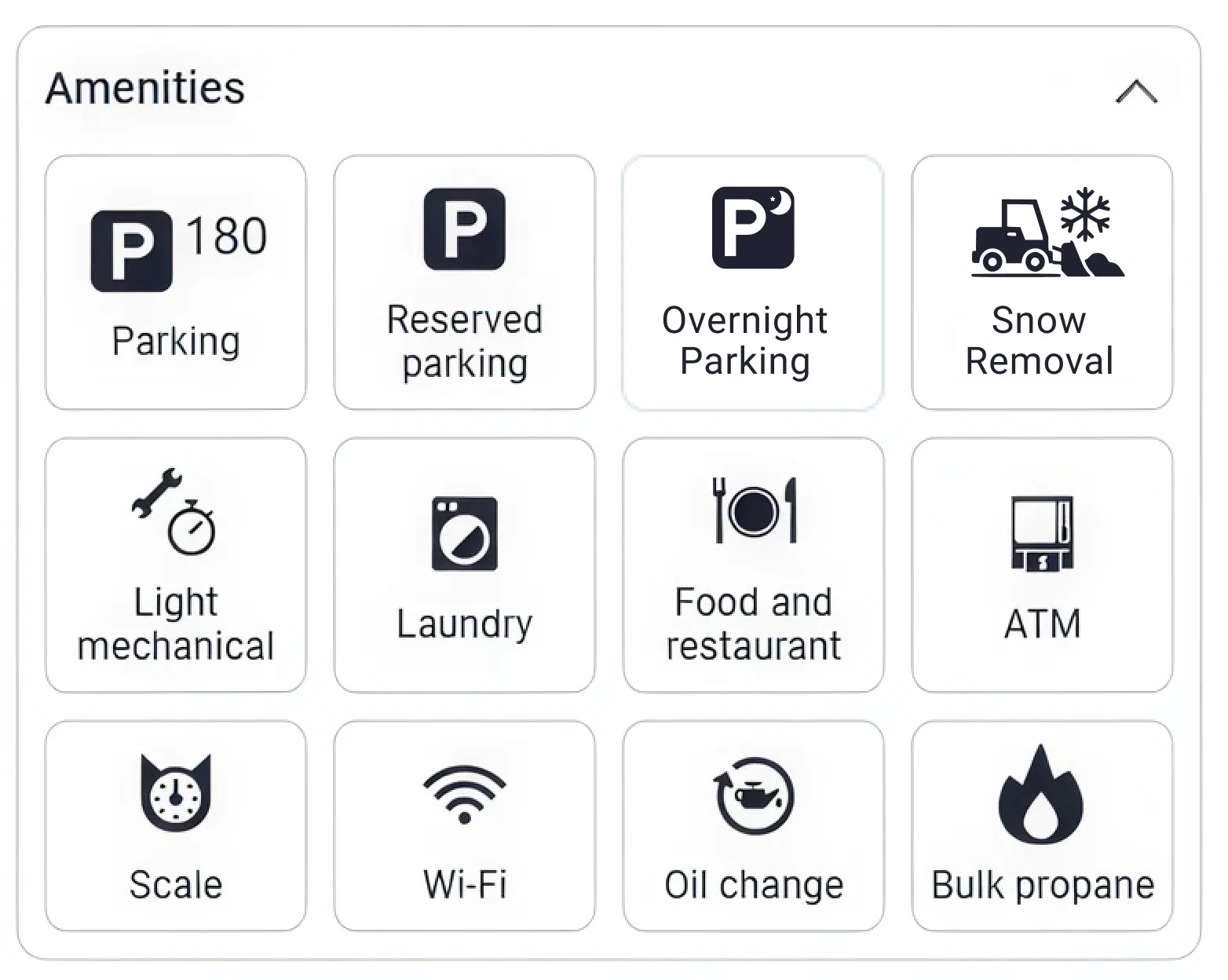
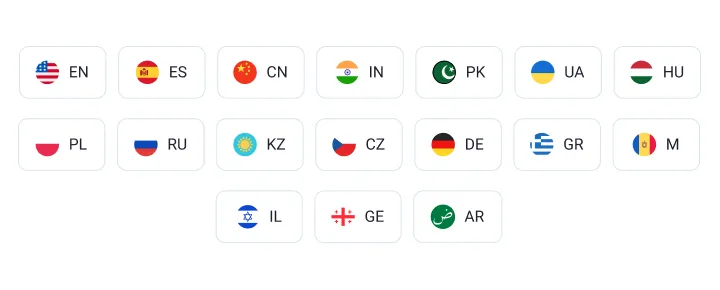
Trucker Guide also lets you specify supported languages and payment types. Listing that staff speak Spanish or Portuguese or that you accept cash, credit cards, or fleet cards helps drivers make faster, more confident decisions.
👉 Our data shows that 75% of drivers prefer businesses with fully detailed company cards, which directly correlates with higher engagement and service calls.
By contrast, NTTS traditionally provides only listings with limited detail. Many entries in there include just the business name, phone number, working hours, and general address. There is no standardized way to display services, amenities, or accepted payments.
In other words, a comprehensive company card builds trust. Drivers are more likely to select a business that lists amenities, accepted payments, and language support. NTTS lacks this structured, searchable data, giving Trucker Guide a clear edge.
Traffic Analytics & Insights
A powerful advantage of Trucker Guide is its built-in analytics dashboard. Vendors can log into the dashboard anytime to see how well their listing is performing.
Trucker Guide tracks key metrics on your business card:
🔎 Views: How many times have drivers seen your company card on the app?
🔎 Engagement: How often did users click on your promotions or ads?
🔎 Website clicks: How many drivers tapped through to your website or directions?
🔎 Phone calls: How many drivers clicked to call your shop directly from the app?
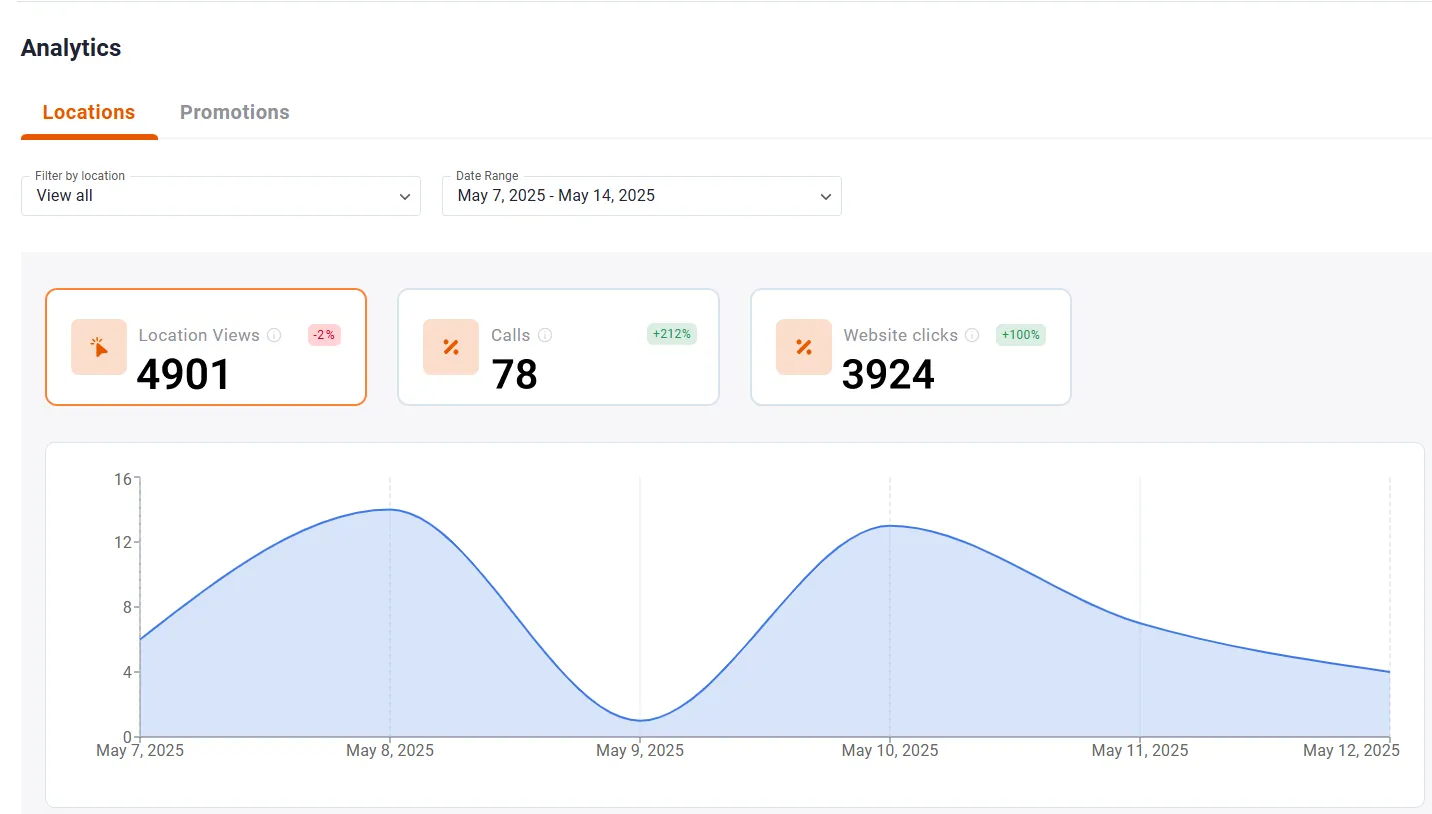
These insights let you measure and improve your ROI. For example, if analytics show a certain banner ad generating lots of clicks but few calls, you might tweak that offer.
In our case noted that a banner for fall tire inspections was outperforming a standard listing, so the shop kept that banner up to maximize results. Over time, analytics tell you what promotions or details drive actual business.
This is something NTTS simply cannot offer. Its traditional directory model does not show how many drivers viewed a listing or contacted a business.
With Trucker Guide, every listing is fully trackable, giving you real-time insights on views, clicks, and calls. This data allows you to understand what works, optimize your profile, and make decisions that directly grow your business.
Onboarding, Demos & Support
Trucker Guide makes onboarding simple and fully digital. Vendors can fill out a quick online form, claim their location on the map, and have their profile live within minutes.
New users can also schedule a free demo through Trucker Guide’s site to walk through the platform and features, or contact us at 👉 sales@truckerguide.app.

Once on board, Trucker Guide offers responsive support. Higher-tier plans include a dedicated account manager who helps optimize your listing and promotions. This person can suggest which keywords or banners to use, check that your hours are correct, and generally ensure you get the most from the app.
This level of digital onboarding and personalized support is something NTTS does not provide. It operates as a traditional reference directory. Vendors interested in being listed must contact NTTS via phone or email and work with directory staff for inclusion.
There is no live digital onboarding form, no online demo scheduling, and no assigned account manager that helps optimize listings or promotional content. Listings are updated manually and tied to their annual publishing cycle rather than a real‑time digital platform.
Affordable, Scalable Pricing Tiers
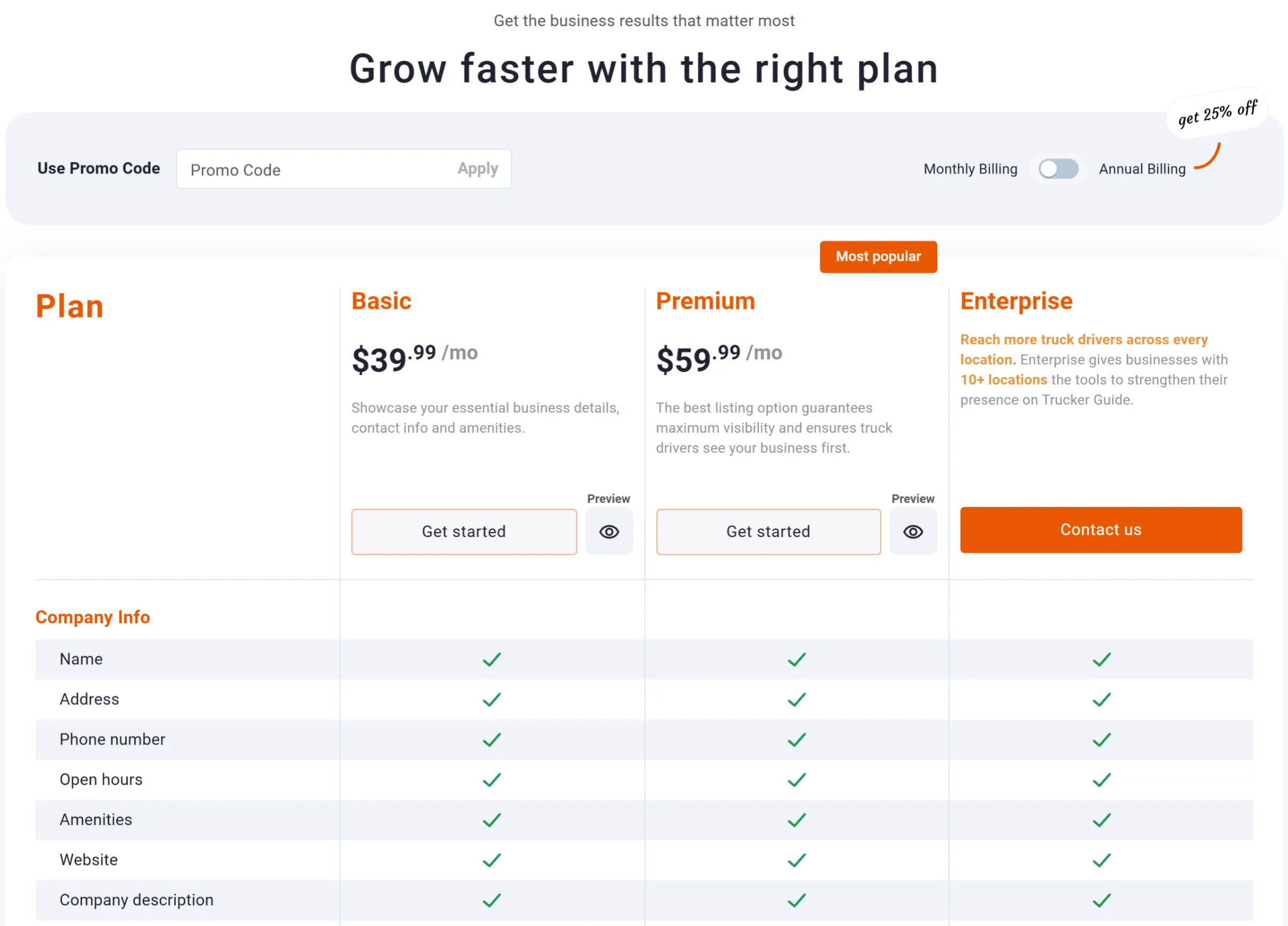
Trucker Guide offers two flexible subscription plans for businesses that want to increase their visibility among truck drivers. Whether you’re a small shop building your online presence or an established business looking for greater exposure, you can choose the plan that fits your needs.
⭐ Basic – $39.99/month. The Basic Plan gives your business a presence on Trucker Guide with essential information such as your company name, location, business hours, amenities, supported languages, reviews, and more.
⭐ Premium – $59.99/month. The Premium Plan provides greater visibility and additional promotional opportunities, helping your business stand out when truckers are searching for relevant products and services.
Both plans offer monthly and annual billing, giving businesses flexibility in how they manage their listings. Annual billing provides a lower effective monthly rate for businesses that plan to maintain their listing throughout the year.
You May Also Like: How to Promote Your Trucking Business in the Off-Season?
For context, NTTS historically charged $149–$193 per year for a basic ad, with additional fees for after-hours numbers, larger ad blocks, or printed book copies. Extra features, such as color listings or inclusion in special index pages, could further raise the total cost by $25 or more per add-on.

This pricing difference becomes clearer when you compare what each platform actually offers at each level of service. Trucker Guide bundles visibility, analytics, and promotional tools into scalable plans, while NTTS relies on a more static listing model where additional features are typically paid for separately or not available at all.
To better understand the overall difference between the two platforms, here is a side-by-side summary of the key features vendors receive.
How Does Trucker Guide Stand Out from NTTS?
So, Trucker Guide | for Business gives truck-related vendors a modern marketing platform. It combines core online marketing tools like banners, video, and data insights with features built specifically for the trucking industry. When the goal is to be found first, not eventually, the choice is clear.
Get ahead, stay visible, and turn every search into a service call. With Trucker Guide, your business is more than a listing. It is the first destination drivers see long before they ever scroll through NTTS.


