



Driver-Facing Cameras in Trucks: Spy or Safety Net for Drivers?

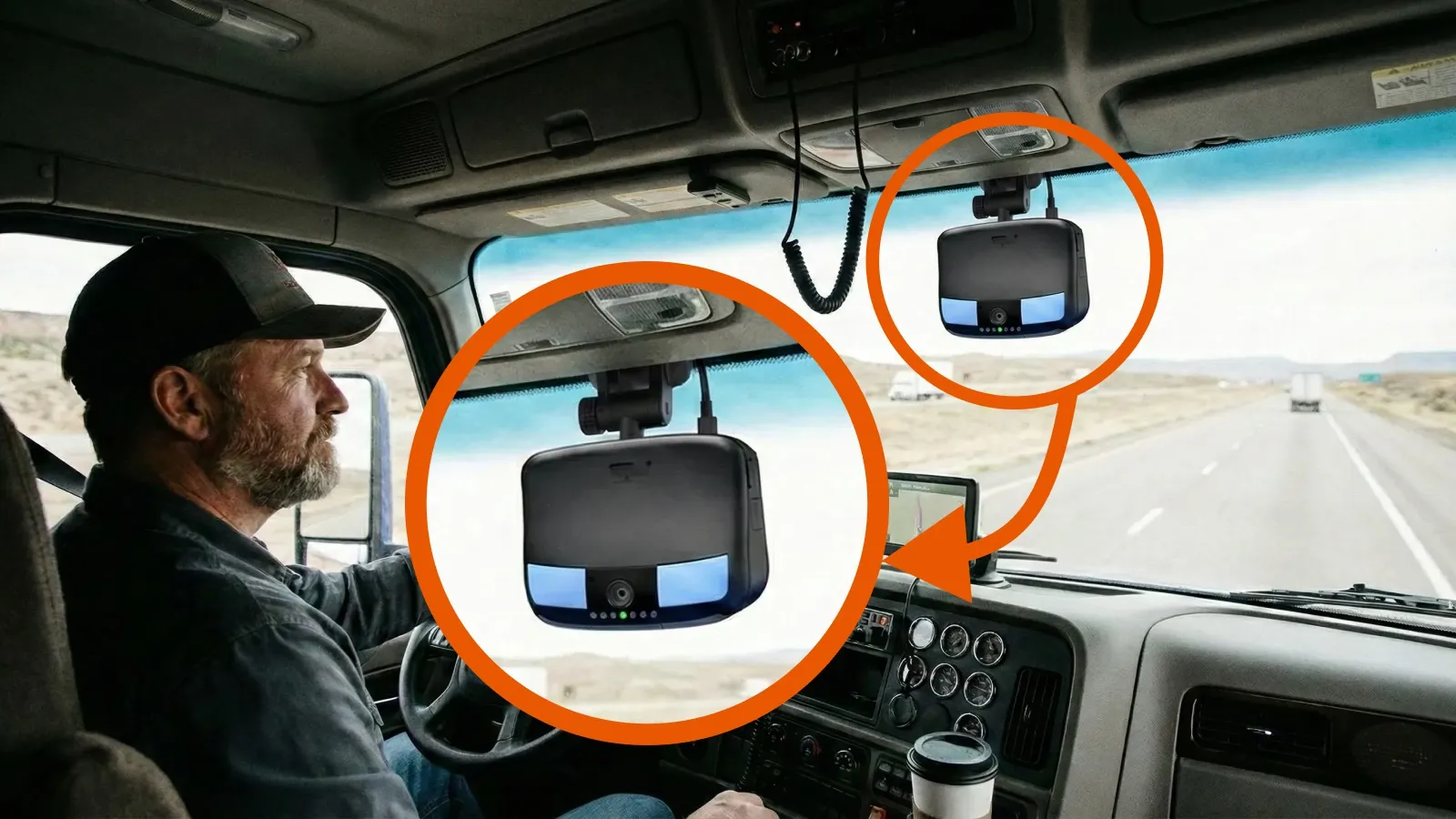
Driver-facing cameras in trucks are designed primarily as safety and liability tools, not continuous surveillance systems. Most modern systems use event-triggered recording that saves footage only during incidents like hard braking, collisions, or unsafe driving behavior, while also helping fleets reduce accident disputes, insurance costs, and safety risks.
Still, many drivers feel uncomfortable with a camera pointed inside the cab. Let’s separate fact from fear and understand what these cameras really mean for drivers and fleets.
Key Facts:
- Driver-facing cameras typically use loop recording and save video only when triggered by events such as hard braking, swerving, or collisions.
- Audio recording is restricted or disabled in many fleets due to two-party consent laws in states like California and Florida.
- Illinois Biometric Information Privacy Act (BIPA) requires written consent for collection or use of biometric data such as facial recognition.
- Camera footage is primarily used for crash reconstruction, liability verification, and post-incident safety review.
- Fleets using in-cab cameras may qualify for lower insurance premiums due to improved incident documentation.
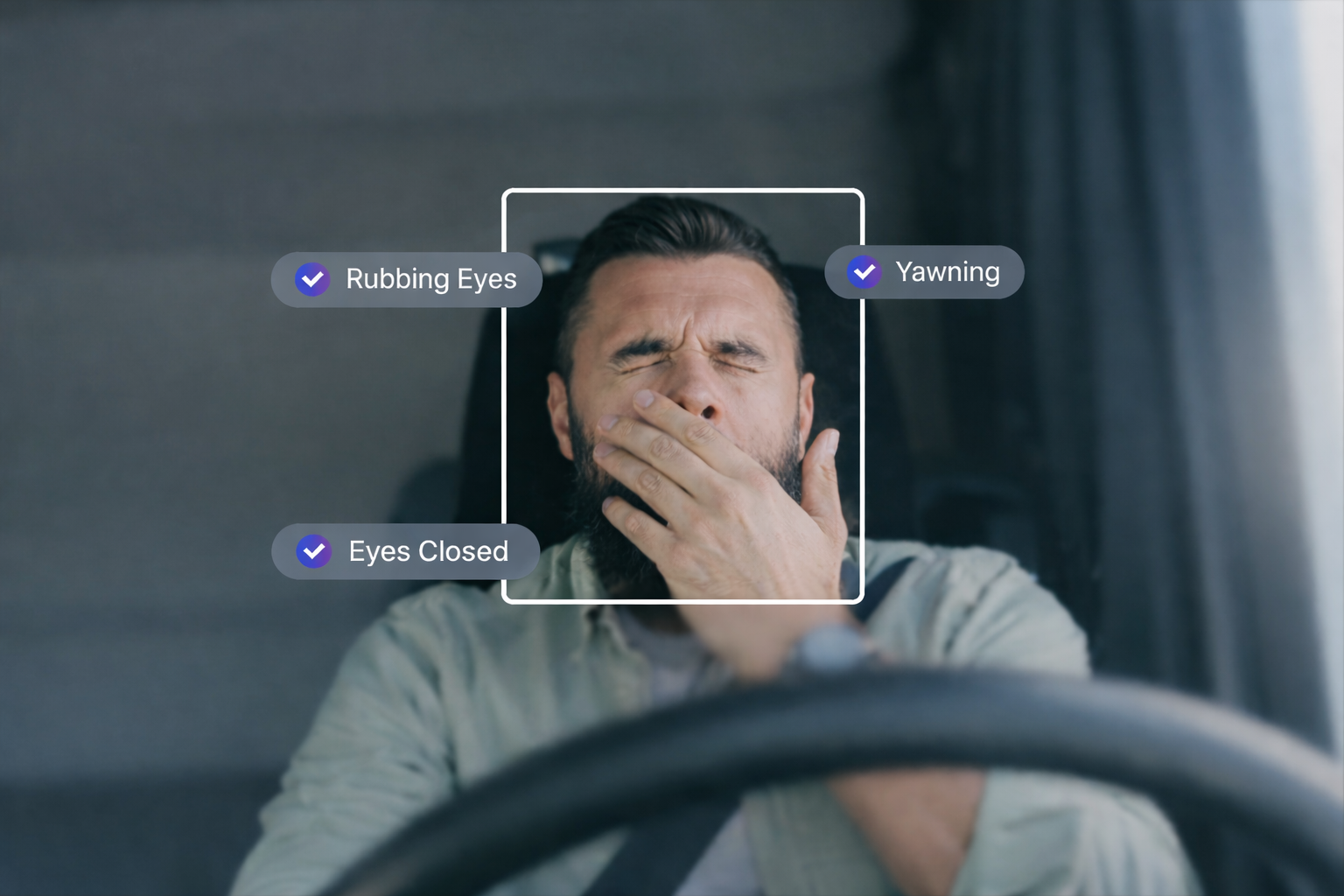
- AI-based systems can trigger alerts based on behaviors such as distraction, lane deviation, or fatigue indicators.
Are Driver-Facing Cameras An Invasion Of Privacy?
Many drivers experience what’s called the “Big Brother” effect — a term from George Orwell’s 1984, describing constant monitoring by an authority. For truckers, this means feeling their personal space is being recorded, even when off duty or resting.
You May Also Like: How the U.S. License Point System Affects Your Driving Record
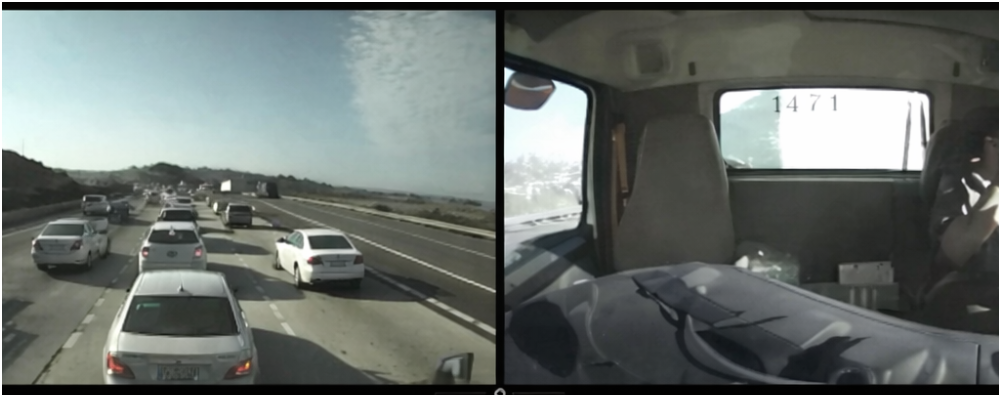
Having a camera inside the cab can feel like an invasion of privacy, especially during moments when a driver is off duty, resting, or simply taking a break. For many, the idea of being constantly recorded in this environment raises serious concerns. If a supervisor wouldn’t enter a driver’s living space at home without permission, then recording inside the cab without clear boundaries can feel just as intrusive.
The AI alerts these systems send out to keep drivers safe don’t always work perfectly either. Shadows, sunlight, or simple actions like changing the radio or checking your GPS can set off false alarms. After a while, drivers become tired of these constant, unnecessary warnings, and this is known as “AI fatigue.” It makes people start ignoring or doubting the alerts, which defeats the whole point.
There’s also worry about how these cameras might be used beyond safety. Some drivers fear they’ll be micromanaged, with every move watched and judged. Others worry these cameras are just the first step toward self-driving trucks replacing human drivers. These concerns are genuine and warrant attention.
How Do Driver-Facing Cameras Actually Work?
Here’s the deal: these cameras aren’t recording you 24/7 like some kind of nonstop surveillance. They work with what’s called loop recording. That means they’re always recording but only keep the last few seconds or minutes on a sort of temporary tape. Nothing gets saved unless something actually happens, like hard braking, a sudden swerve, or a crash.
So you’re not being watched every single second you’re driving, and they’re definitely not recording you while you’re parked or taking a break. Your downtime in the cab? That stays private.
When something triggers the system, it locks in a short video that shows what happened just before, during, and right after the event. That clip gets sent to safety folks or fleet managers to check out. The whole point isn’t to watch your every move but to have solid proof if something goes wrong, like making sure you’re not blamed unfairly after a crash or figuring out what caused risky driving.
Because it’s only saving clips when it matters, no one’s wasting time watching hours of boring footage. Safety teams focus only on what’s important, so it keeps things practical without turning your cab into a fishbowl.
The “Savior” Side: Legal and Safety Benefits
Here’s why a lot of fleets are putting these cameras in trucks — to protect themselves and their drivers from getting hit with huge lawsuits.
You’ve probably heard about “nuclear verdicts,” those massive payouts that can cost millions. Imagine you’re driving down the highway and a distracted driver in a car suddenly drifts into your lane. Without video, it’s your word against theirs, and juries usually side with the smaller vehicle.
These cameras give you solid proof of what really went down. For example, if you had to slam on the brakes to avoid that car, the footage shows exactly what happened, so you’re not left taking the fall for someone else’s mistake. Some of the newer systems even watch for signs you’re tired or not paying attention and give you a heads-up before things get risky.
You May Also Like: Red Light Camera Violations and Tickets: Costs, Laws, and How to Fight Back
Insurance companies like these cameras, too. Fleets that use them often get better rates, which helps keep insurance costs from getting out of hand. That’s good for the company and for drivers who want to keep things running smoothly.
Are Driver-Facing Cameras Legal?
Since trucks belong to the company, fleets usually have the right to put cameras inside the cab. These cameras help protect both the driver and the company. But when it comes to recording audio or collecting stuff like facial scans, the rules get tricky.
Audio Recording:
A bunch of states, like California and Florida, require “two-party consent” for audio. That means everyone being recorded has to agree to it. Because of that, many fleets just turn off the audio or make sure drivers sign off before they start recording sound. It’s serious business: breaking these laws can cause big legal headaches.
Biometric Data and Facial Recognition:
This is where it gets even stickier. Places like Illinois have laws (like BIPA*) that say companies need to tell drivers exactly what biometric info they’re collecting and get their written permission. If they don’t, they can get hit with huge fines or lawsuits. Some camera systems even shut off these features automatically when the truck crosses into Illinois or other states with tough biometric rules.
BIPA (Biometric Information Privacy Act) is an Illinois law that regulates how companies collect, use, store, and protect people’s biometric data, such as fingerprints and facial recognition information, requiring informed written consent and strict handling procedures.
Other States:
Texas, Washington, New York, and a few others are watching this space closely, with some already having laws or plans around biometric data privacy. Fleets running trucks all over have to keep an eye on these changes and adjust how they do things.
So, cameras inside the cab are legal, but companies have to be careful with audio and biometric stuff. Being upfront with drivers and getting the right permissions is the best way to stay out of trouble.
What You Can Do: Take Charge of Your Privacy and Safety
Look, cameras in the cab are here to stay. But that does not mean you have to just accept it without question. Here is how you can stay in control and make sure this tech works for you and not against you.
1. Ask Questions and Know the Rules
Don’t wait for someone to surprise you with the camera setup. Ask your fleet what kind of cameras they use, when they record, and if audio is being recorded. Knowing what is going on helps you feel less caught off guard and more in control.
2. Understand Your Rights
Some states have laws that require your consent before recording your voice or collecting biometric data like facial scans. States such as California and Florida require all parties to agree before audio is recorded, while Illinois law requires written permission before any biometric data is collected.
Find out if your truck has these features and whether you gave consent. If you did not, it is reasonable to ask for clear answers.
3. Do Not Just Tune Out Those Alerts
If your camera system keeps beeping for no real reason, like shadows or sunlight hitting the lens, that is frustrating. It happens to all of us. But do not ignore it. Tell your boss or safety team. False alarms make the system less useful, and they need to know.
4. Speak Up When Something Feels Off
Your cab is your space. If the cameras feel like they are invading your downtime or watching every little thing, say something. Drivers speaking up helps companies learn how to balance safety with respect.
5. Keep Track If Things Get Messy
If you feel the cameras are being used unfairly against you or your privacy is ignored, write down what is happening. Keeping notes can help if you need to refer to them later.
6. Stay Sharp on Changing Laws
Privacy laws keep changing, especially about audio and biometric data. Stay up to date on the rules in the states where you drive. It is one more way to protect yourself.
Know what’s in your cab, know your rights, and speak up when something doesn’t feel right. Driver-facing cameras may be here to stay, but staying informed keeps you in control.
Frequently Asked Questions
Which trucking companies use driver-facing cameras?
Some trucking companies, including Schneider, Werner, and Roehl, have used driver-facing cameras in their fleets. Camera use varies by carrier, division, and vehicle, so drivers should confirm the current policy during recruitment.
Do driver-facing cameras record all the time?
Some driver-facing cameras continuously record video in a loop, but save or upload only clips triggered by specific events. Other systems may use continuous recording or different privacy settings, depending on the fleet's configuration.
What triggers a driver-facing camera?
Driver-facing cameras may save footage after hard braking, sudden swerving, collisions, speeding, or detected driver behaviors such as distraction and drowsiness. Some systems also allow manual recording, depending on their features and settings.
Do truck cameras record when the truck is off?
Whether a truck camera records when the engine is off depends on the camera system and fleet settings. Some systems disable recording when the vehicle is parked or switched off, while others support different recording modes.
Can a driver cover or turn off a driver-facing camera?
Drivers should follow their employer's camera policy before covering or disabling a driver-facing camera. Unauthorized tampering may violate company rules, so drivers concerned about privacy should ask their fleet manager about approved privacy settings.
Do driver-facing cameras lower insurance costs?
Driver-facing cameras can help trucking companies reduce insurance costs by documenting accidents, supporting claims investigations, and encouraging safer driving. However, insurance discounts are not guaranteed and depend on the insurer, fleet safety record, and policy terms.


