



Trucker Guide vs TruckMap: Which Truck GPS App Keeps You Ahead on the Road?

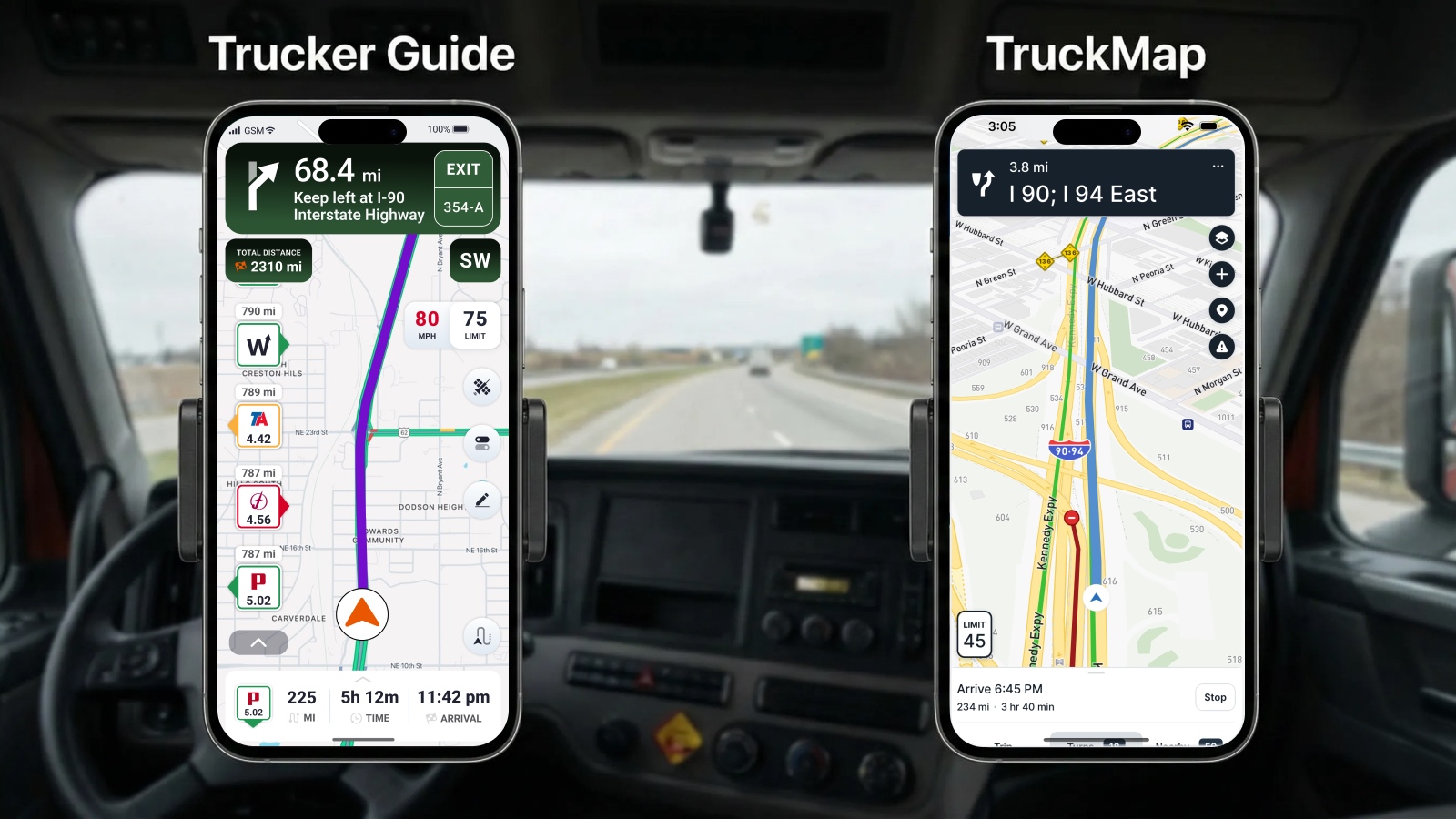
TruckMap and Trucker Guide are both truck-specific GPS apps, but Trucker Guide combines truck routing with more live road information. TruckMap is free and offers truck-specific routing, 600,000+ truck facilities, and 400,000+ parking spots. Trucker Guide offers a 7-day free trial, 450,000+ trucker-friendly locations, real-time parking availability, real-time weigh station status, weather information, and 80,000+ traffic cameras.
To help you choose the right app, we’ll compare TruckMap and Trucker Guide — two popular U.S. truck driver tools. Both are designed to make life on the road easier, but they focus on different features and driving needs.
Quick Summary:
- TruckMap is a free truck navigation app with truck-specific routing, turn-by-turn navigation, weigh stations, overnight parking, fuel, and more than 600,000 truck facilities.
- Trucker Guide provides 450,000+ truck-friendly locations, real-time parking availability, weigh station status updates, fuel prices, weather information, and truck-specific routing.
- TruckMap lists more than 400,000 truck parking spots and supports commercial restrictions involving truck weight, low clearance, and HAZMAT.
- Trucker Guide offers a 7-day free trial and currently lists a $14.99 monthly subscription, along with semi-annual, annual, and weekly plans.
- Trucker Guide supports offline navigation, while TruckMap's current official store listings do not document an offline navigation mode.
- Both apps provide truck-specific routing, but their current official descriptions emphasize different combinations of navigation, facility information, parking, and other trucking tools.
How Do Trucker Guide and TruckMap Compare for Trucking Features?
Is Trucker Guide a Good Alternative to TruckMap?
Trucker Guide is a practical alternative to TruckMap for drivers looking for a truck-focused navigation app with a different approach to trip planning. Both apps are built for commercial drivers, but they are not identical.
TruckMap focuses on free truck navigation and a large database of trucking locations, while Trucker Guide combines navigation with a broader set of tools designed to support drivers before and during a trip.
The difference is not simply about getting from Point A to Point B. It is also about the information and tools available along the way. Trucker Guide brings navigation, trucking locations, road information, and other driver-focused features together in one app. If you're considering an alternative to TruckMap, the sections below break down the differences in routing, parking, road conditions, offline navigation, locations, and pricing so you can see which features fit your driving needs.
Do TruckMap and Trucker Guide Avoid Low Bridges and Weight Limits?
Yes. Both TruckMap and Trucker Guide provide truck-specific routing designed to account for restrictions such as low bridges and weight limits.
Trucker Guide uses truck and trailer dimensions to create truck-specific routes. Drivers can specify height, width, length, and weight limits, while route settings can also account for HAZMAT requirements and roads to avoid. The app also provides information on 17,000+ low-clearance bridges and tunnels, allowing drivers to check height restrictions when planning a route.
You May Also Like: Trucker Guide or Trucker Path? Compare Best Truck GPS Apps
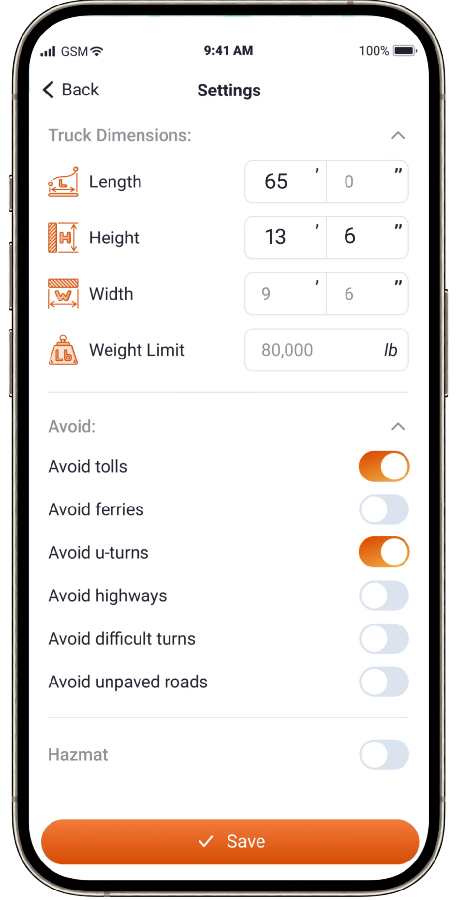
TruckMap also provides truck-specific routing. Its current official listing says it accounts for commercial vehicle restrictions involving truck weight, low clearance, and HAZMAT. Drivers can customize truck height and weight and route around truck-forbidden roads and highways.
Both apps therefore document support for commercial vehicle restrictions, although the specific routing tools and information they provide differ.
Which Truck GPS App Has the Better User Interface?
The user interface can make a significant difference when truck drivers need to check a route, adjust navigation settings, or quickly find a truck-related location. Both Trucker Guide and TruckMap have updated their navigation experiences, but recent app updates and user reviews highlight different aspects of each interface.
Trucker Guide has continued to update its navigation experience throughout 2026, including a redesigned Choose Route flow, updated navigation screens, route settings, and improvements to navigation performance and stability.
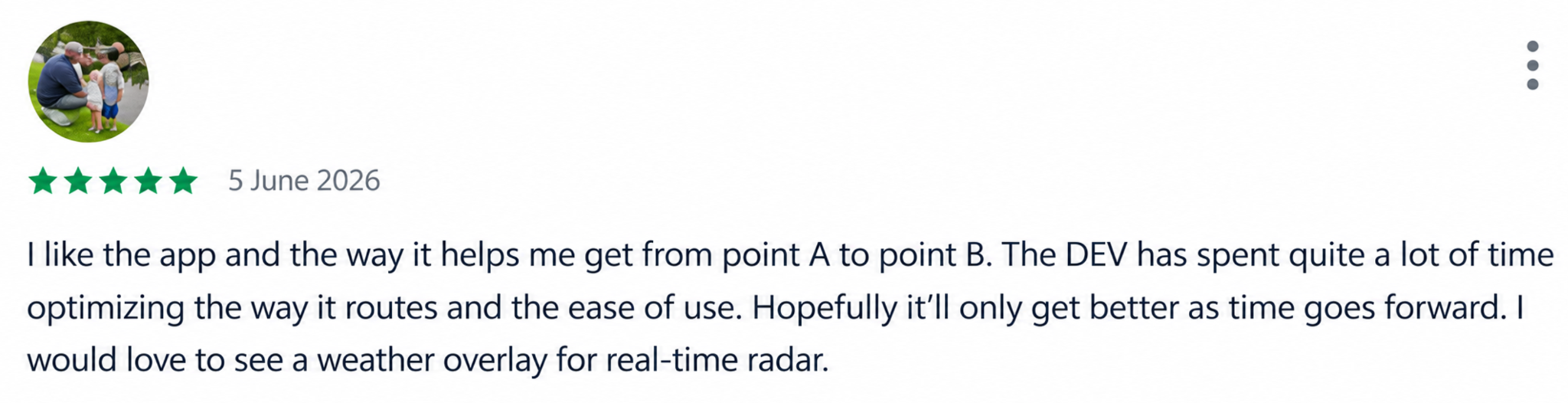
Recent user reviews include positive comments about Trucker Guide's interface and the amount of trucking information available in the app. Other reviews mention the convenience of finding locations such as weigh stations, food stops, rest areas, and parking. These are individual experiences rather than controlled testing, so they should not be treated as representative of every driver.

TruckMap has also received multiple performance updates, including improvements to map updates during long trips and fixes for crashes. At the same time, recent user reviews report some navigation issues. A reviewer reported noticeable navigation lag and slow destination loading, while another described problems with routing and truck entrances.
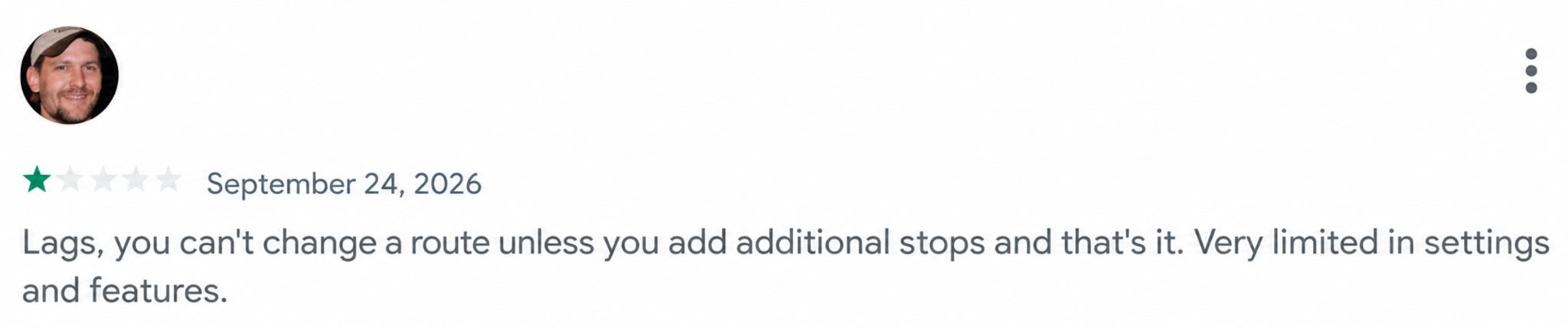
These reviews represent individual experiences rather than controlled testing, so they should be treated as examples of user feedback rather than universal app performance.
Which App Shows Live Parking and Weigh Station Status?
Parking and weigh station planning remain two of the biggest headaches for truck drivers. In an I-10 Corridor Coalition survey, 41% of respondents said it took 30 minutes to an hour to find truck parking.
Trucker Guide provides real-time parking availability at truck stops, rest areas, and public parking locations, helping drivers check parking conditions before choosing where to stop. The app includes over 11,000 verified truck stops listed across the U.S. and Canada. Trucker Guide also provides real-time weigh station status for more than 2,000 weigh station locations across all 50 states, allowing drivers to check whether a weigh station is open or closed. Weigh station listings can also provide location and facility information to help drivers plan their routes.
TruckMap also provides extensive parking and weigh station information. Its current listing includes more than 400,000 truck parking spots and thousands of weigh stations and DOT inspection sites. However, its current official listings do not describe parking and weigh station information using the same real-time status language as Trucker Guide.
For that reason, it is more accurate to describe what each app currently documents rather than characterize TruckMap's information as simply “static.”
Can You Update Parking or Weigh Station Status in Trucker Guide?
Yes. Trucker Guide allows drivers to contribute current information about parking and weigh station conditions.
When you arrive at a stop, Trucker Guide can prompt you to update the current parking status. You can select the option that matches the parking situation, helping other drivers see whether spaces are available. The submitted information is shared with other users and can help keep parking information more up to date.
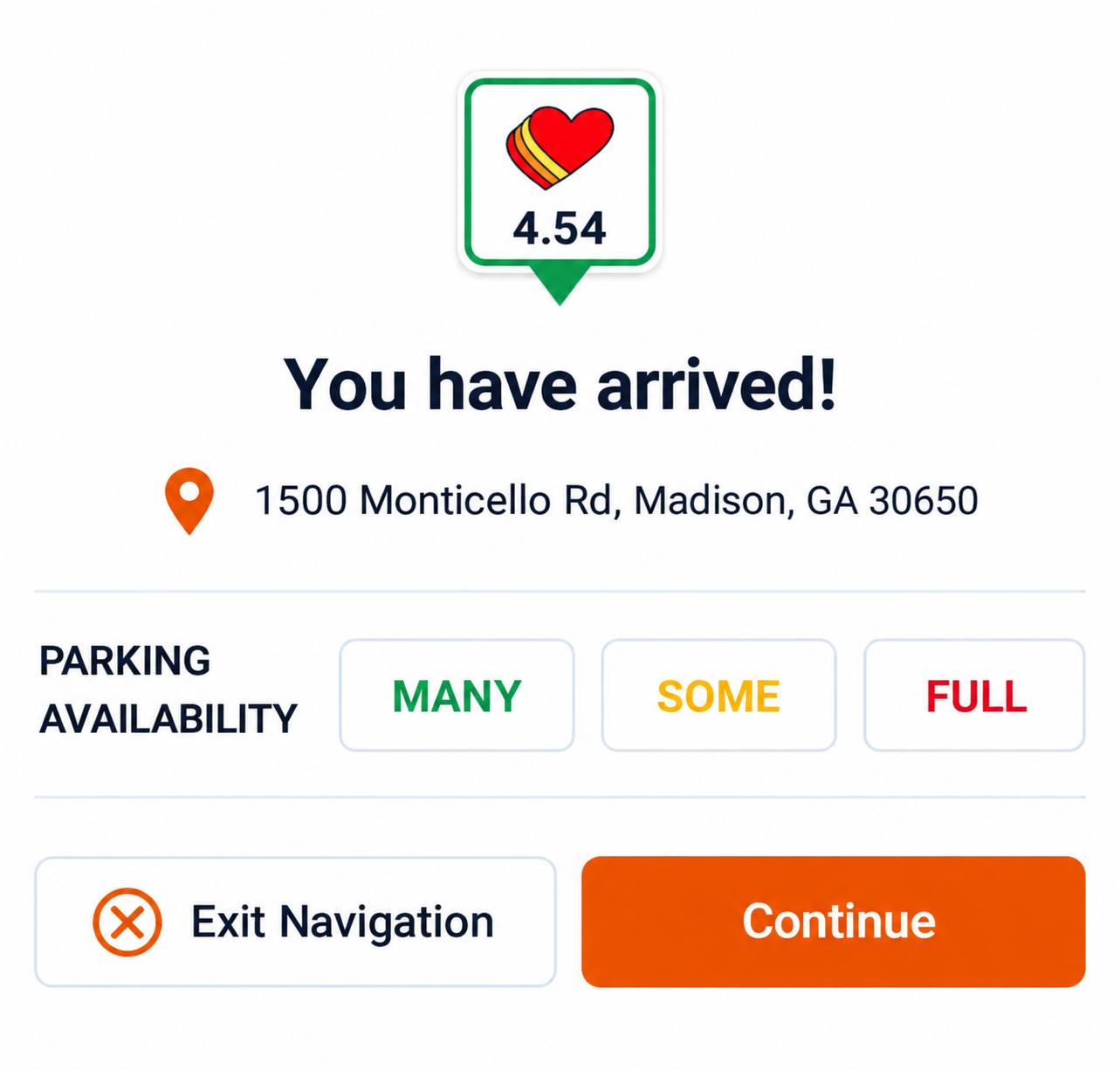
Drivers can also submit weigh station status information, helping other users see whether a station is open or closed. These updates give other truckers additional information about current weigh station conditions and can help them plan their routes and stops more effectively.
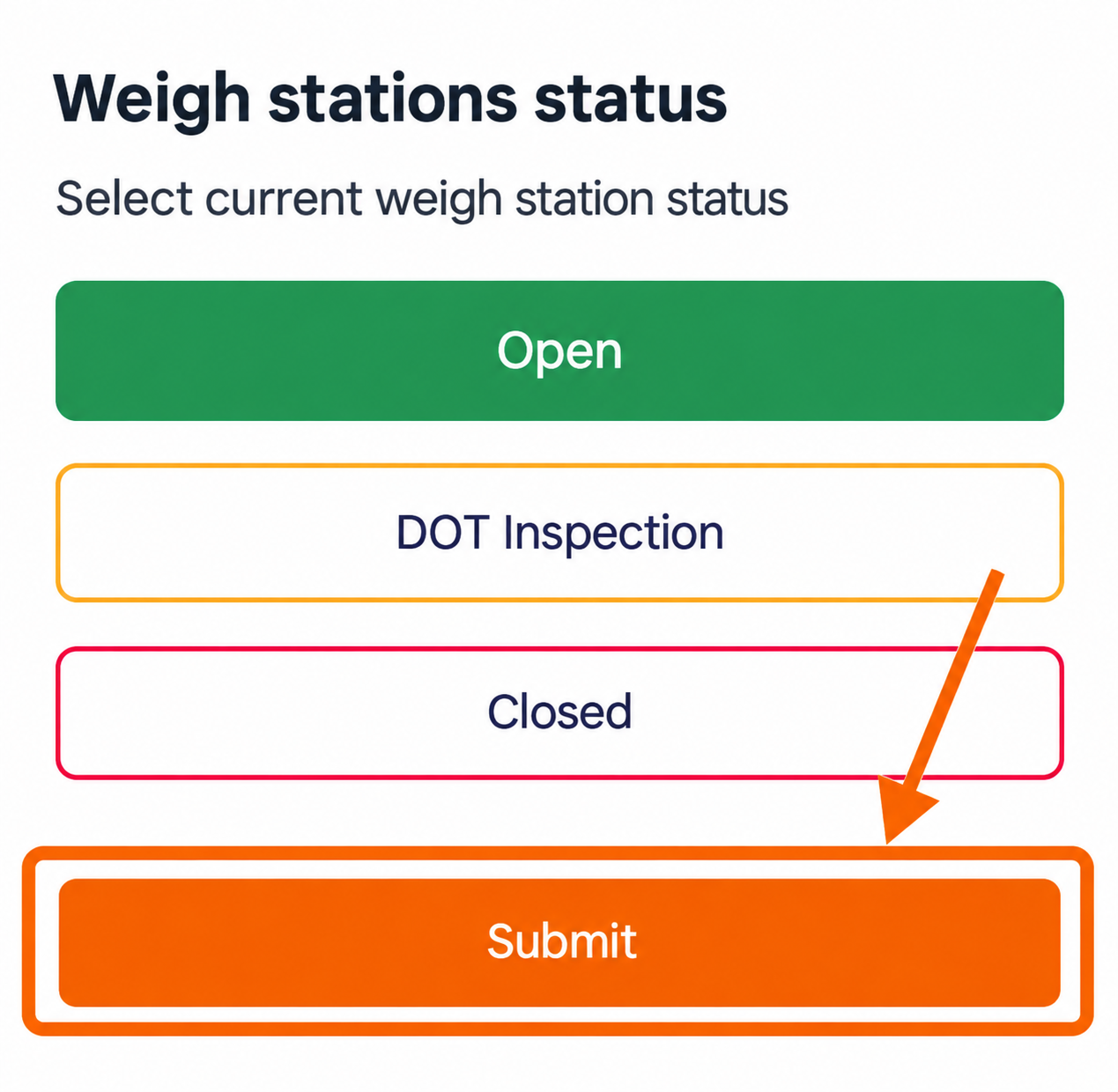
This combines app data with driver-submitted updates to provide more current information on the road.
Which Truck GPS App Shows Live DOT Traffic Cameras?
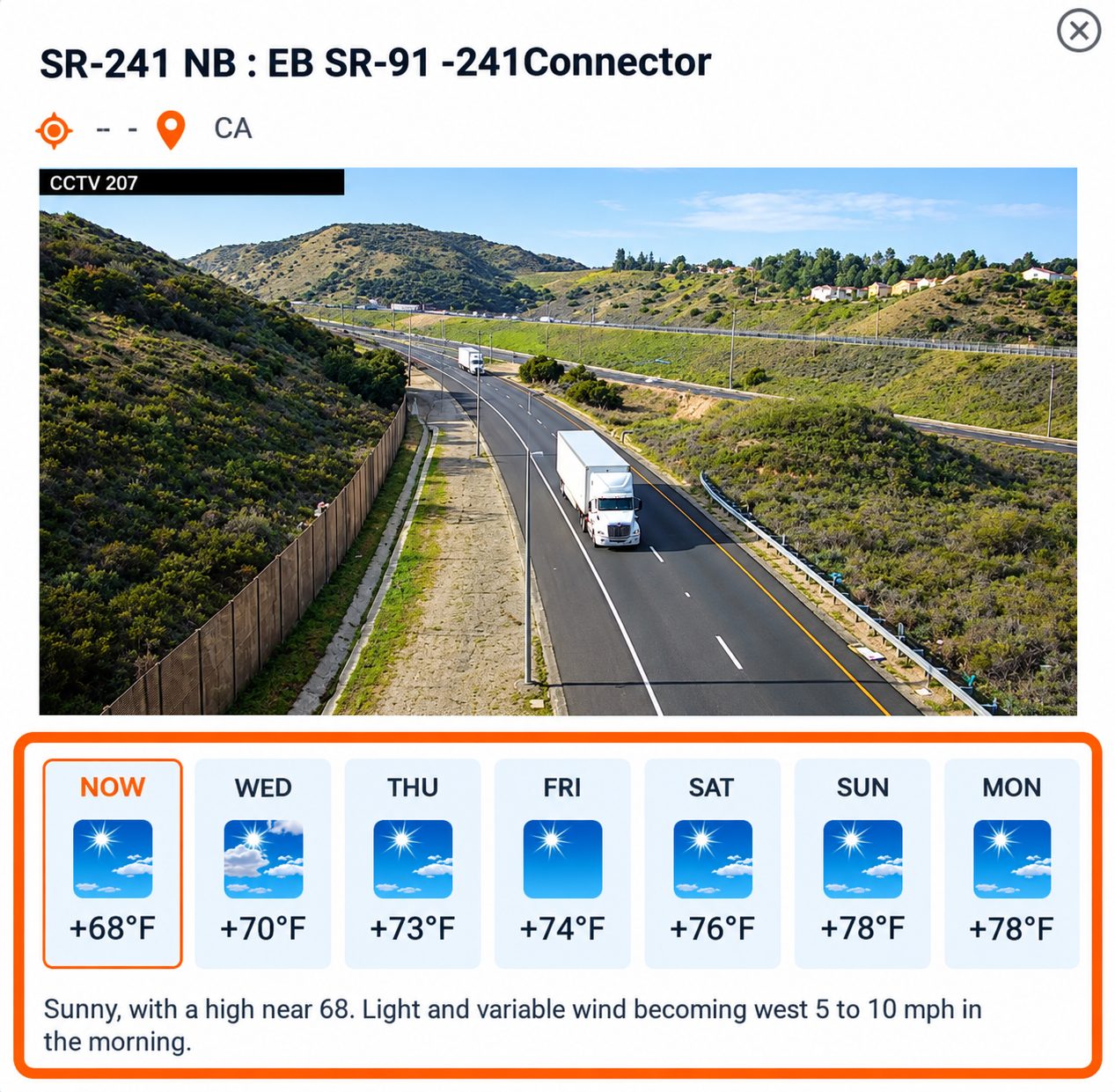
Trucker Guide provides real-time traffic cameras and road-condition information, giving drivers access to more than 80,000 live road cameras across the U.S. and Canada, including official DOT camera feeds in all 50 states.
Drivers can use the camera feeds to check traffic flow, congestion, incidents, lane closures, and current road conditions before reaching a particular stretch of highway. The live views can also provide visibility into weather conditions, precipitation, wind, and visibility, helping drivers see what is happening ahead instead of relying only on information received after conditions change. Within the navigation experience, drivers can access camera feeds along their route and open individual cameras to view either a snapshot or live stream of current traffic and road conditions.
Trucker Guide also places weather information below the camera feed for the selected location, giving drivers additional context about conditions ahead.
TruckMap's current official Google Play and App Store listings describe truck routing, parking, weigh stations, fuel, rest areas, and other trucking facilities, but they do not currently list live DOT traffic cameras as a feature.
Does TruckMap Work Offline?
TruckMap's current official Google Play and App Store listings do not document offline navigation. That does not establish that every version or use case of TruckMap has no offline functionality; it means offline navigation is not currently presented as a documented feature in the official listings reviewed for this comparison.
Trucker Guide, in contrast, currently supports offline navigation. The feature was added in a previous navigation update and remains part of the app's navigation functionality. For drivers who frequently travel through areas with weak cellular coverage, this is an important feature to check before choosing a navigation app.
Is TruckMap Free? How Does Its Pricing Compare to Trucker Guide?
Cost is often a deciding factor, especially for independent truckers watching every dollar. Both apps offer truck-friendly navigation, but their pricing models are different.
TruckMap is currently free to download and use. Its official listings include truck-optimized navigation, turn-by-turn routing, fuel information, weigh stations, overnight parking, rest areas, and more than 600,000 truck facilities.
Trucker Guide is also free to download and includes a 7-day free trial of its premium navigation features. After the trial, drivers can choose from the following U.S. subscription options:
⭐ $4.99 per week
⭐ $14.99 per month
⭐ $79.99 per 6 months
⭐ $149.99 per year
The key difference is what drivers are paying for. Trucker Guide's subscription provides access to premium navigation features and additional road and trip-planning tools. For drivers who want more than basic truck routing, these features bring navigation, real-time road information, and trip-planning tools together in one app.
Download Trucker Guide now and explore real-time parking, weigh station status, traffic cameras, and truck-specific navigation on your next trip.
Frequently Asked Questions
Which truck GPS app shows live DOT traffic cameras?
Trucker Guide shows live DOT traffic cameras. It provides access to more than 80,000 live road cameras across the U.S. and Canada, including official DOT camera feeds in all 50 states. Drivers can use the cameras to check traffic, congestion, incidents, lane closures, weather, and road conditions along their route. TruckMap's current official app listings do not document live DOT traffic cameras as a feature.
Does TruckMap work offline?
TruckMap's current official Google Play and App Store listings do not document offline navigation. Trucker Guide does support offline navigation, which can be useful when driving through areas with limited cellular coverage.
Is there a free trial for Trucker Guide?
Yes. Trucker Guide currently offers a 7-day free trial of its premium navigation features. After the trial, drivers can choose from weekly, monthly, semi-annual, and annual subscription plans. The current U.S. pricing listed in this article is $4.99 per week, $14.99 per month, $79.99 for six months, or $149.99 per year.
Can you update parking or weigh station status in Trucker Guide?
Yes. Trucker Guide allows drivers to submit updates about parking and weigh station conditions. Drivers can report current parking availability and update whether a weigh station is open or closed. These driver-submitted updates provide additional current information that can help other truckers plan routes and stops.
Do TruckMap and Trucker Guide work in Canada?
Both apps have a presence in Canada, but their documented coverage differs. Trucker Guide supports the U.S. and Canada, including truck-related locations and traffic-camera information. TruckMap is available through the Canadian App Store, but its current official listings do not provide enough information to establish the extent of its Canadian map and facility coverage.


