



5 Important Steps to Prepare for FMCSA’s New Registration System

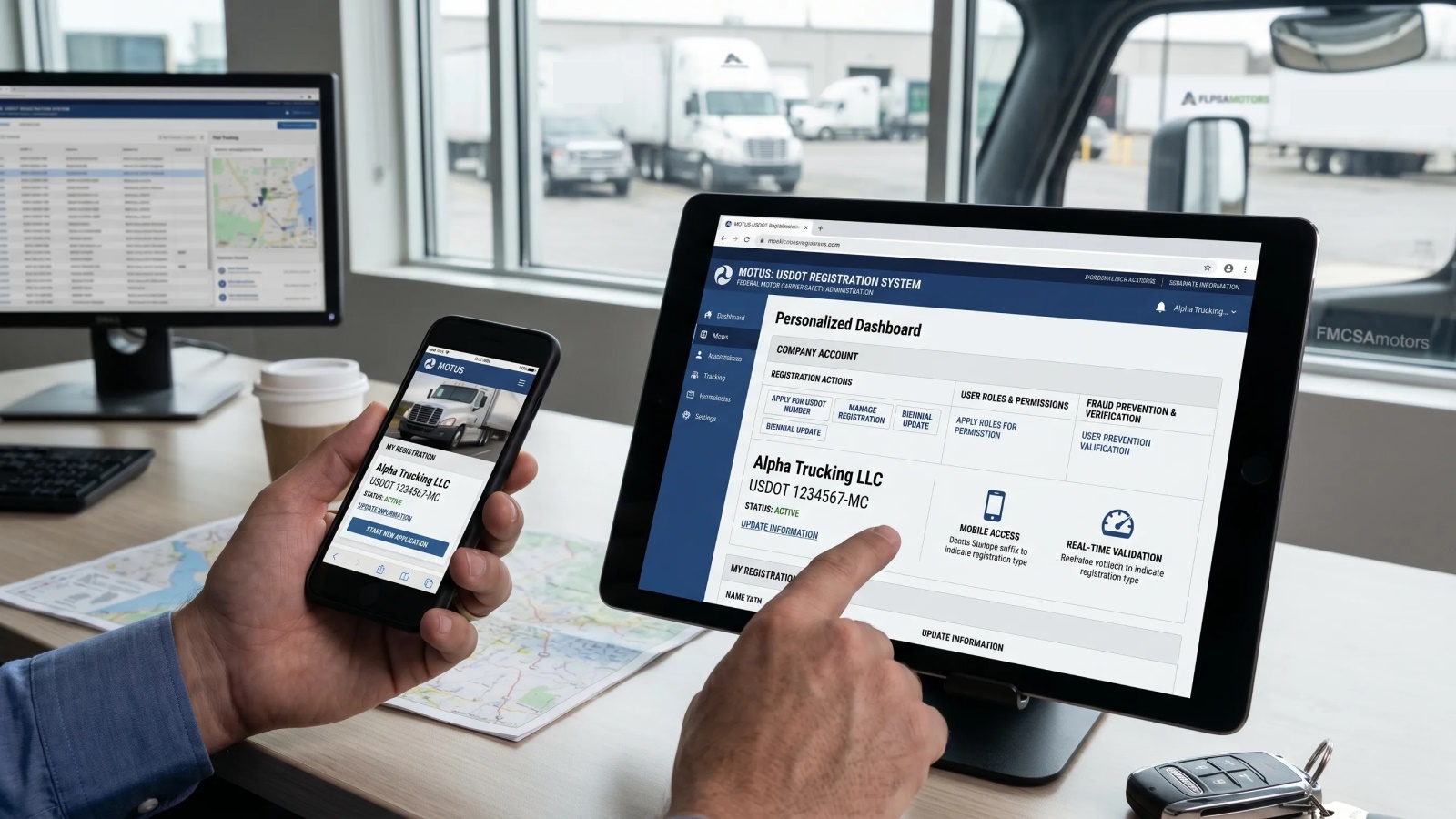
On April 28, 2026, the Federal Motor Carrier Safety Administration (FMCSA) announced a set of required preparation steps tied to its upcoming new registration system. This update affects all carriers and drivers operating under FMCSA authority.
These preparation steps are directly connected to FMCSA’s new centralized platform, known as Motus.
Key Facts:
- On April 28, 2026, the Federal Motor Carrier Safety Administration announced a new registration system transition, with full migration planned to a platform called Motus and a preparation deadline of May 14, 2026.
- FMCSA Portal accounts may be deactivated after 90 days of inactivity and archived after 12 months, requiring reactivation before access can continue.
- Company Officials must use Login.gov with a matching email to link their carrier account to the new system.
- Company details, including registration data and updates, must be reviewed through the MCS-150 (Biennial Update) inside the FMCSA system before migration.
- After successful linking, registration management shifts from the FMCSA Portal to the Motus system, becoming the primary operational environment.
What is Motus FMCSA?
Motus is the name used for FMCSA’s upcoming centralized registration and account management platform. It is being developed to replace the current FMCSA Portal and bring key registration functions into one system.
Instead of handling carrier information, updates, and account access through separate tools, everything will be managed in one place. Access will be tied to identity verification through Login.gov and linked directly to the Company Official* responsible for the carrier account.
A Company Official is a person legally authorized to act on behalf of a trucking company in matters related to the Federal Motor Carrier Safety Administration and its registration, safety, and compliance records.
In practical terms, FMCSA is moving toward a setup where identity, access, and company records are verified and managed together. This reduces fragmentation in how accounts are handled, but it also makes it important that existing information is accurate before the transition.
Once that foundation is clear, the process becomes easier to follow. Below are the five steps that actually matter.
Step 1. Make Sure You Can Access Your FMCSA Portal
The first and most important step is simply confirming that you can still get into your account in the FMCSA Portal.

This sounds basic, but it is where many issues start.
Your account may no longer be active if it hasn’t been used recently. FMCSA disables accounts after 90 days of inactivity and archives them after 12 months. If that has happened, you will need to go through reactivation or support assistance before you can continue.
If you don’t have an account at all, you’ll need to create one and connect it using your USDOT PIN*. That PIN is available through the SAFER System, which holds your registration and safety data.
A USDOT PIN is a security code issued by the Federal Motor Carrier Safety Administration that allows motor carriers to access and update their official FMCSA registration records online. It acts like a verification key for sensitive carrier information connected to a USDOT number.
You May Also Like: FMCSA Warning: Stop Buying USDOT & MC Numbers or Risk Losing Your Authority

Just as important as access itself is your login email. That same email will be used later in the transition process, so it needs to be current and accessible.
Step 2. Review and Correct Your Company Information
Once you’re inside the portal, the next step is making sure your company profile reflects reality.
This includes your business identity, contact details, operation type, and how FMCSA classifies your activity. Over time, small changes tend to build up (new phone numbers, address updates, changes in responsibility), but not all of them get updated in federal records.
If anything is outdated, it should be corrected now. You can do this through the same process used for your Biennial Update*, located under the Registration section.
A Biennial Update is a mandatory federal registration update that commercial carriers must file with the Federal Motor Carrier Safety Administration every two years to keep their USDOT information current. The update is usually completed through the MCS-150 form.

The goal here is simple: make sure FMCSA is working with accurate information before it gets transferred into a new system.
Step 3. Confirm Who Controls Account Access
Next, you need to look at who is officially listed as the Company Official in your FMCSA Portal account. This role is important because it determines who will be allowed to connect your company to the new system later on.

If the listed person is no longer with the company, not involved in compliance, or does not have access to the correct email, this can create serious delays during the transition.
Fixing this now is much easier than trying to resolve it when the new system is already active.
Step 4. Understand the Transition to the New System
FMCSA is moving to a new platform called Motus. The transition will not happen automatically. It requires action from your Company Official.
You May Also Like: FMCSA Clearinghouse Update 2026: New Identity Verification Rules Explained
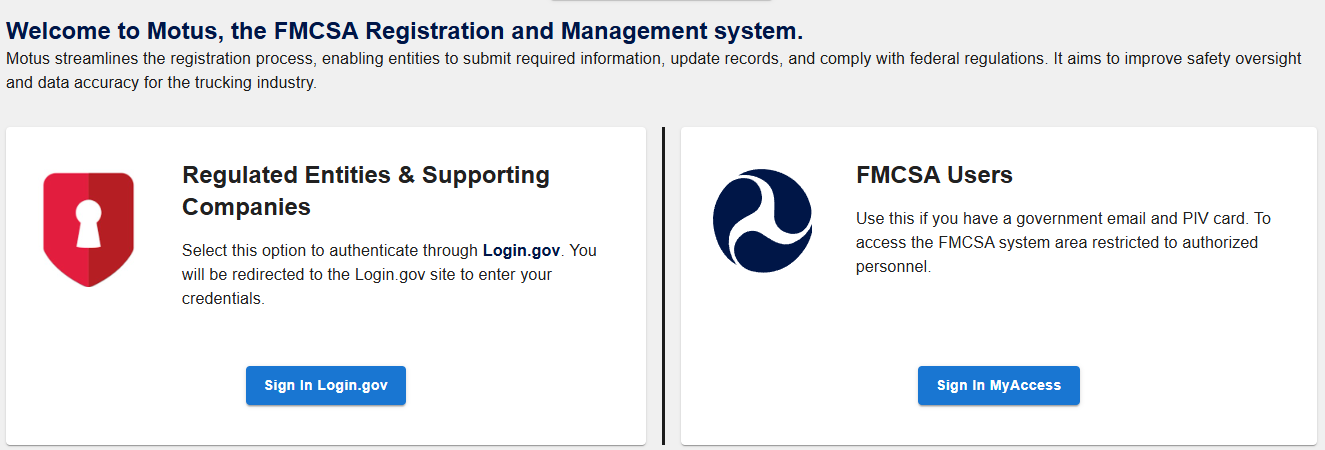
Here’s how it will work in practice: the Company Official will log in using Login.gov, and that login must use the same email that is tied to the FMCSA Portal account.
Once verified, they will be able to claim and link the company to the new system. If the email does not match, the system may block or delay access because it cannot confirm authorization. This step is less about technology and more about identity matching. Everything depends on consistency between systems.
Step 5. What Changes After You Are Connected
Once your account is successfully linked to Motus, your registration workflow moves entirely out of the FMCSA Portal.
From that point on, all updates, corrections, and management of company information will be handled directly in the new system. The Portal will no longer serve as your primary tool for registration tasks.
Access also becomes more centralized. The Company Official and their Login.gov credentials become the main entry point for managing the account. If those credentials are lost, inactive, or unavailable, regaining access may require support from FMCSA, which can delay account recovery. The transition is not parallel or optional. Once the system is connected, the new platform becomes the only active environment for registration management.
This is why the setup stage matters so much. The accuracy of your company information and the stability of your access structure before migration will directly affect how quickly and smoothly you can handle updates after the transition.
FMCSA has also set a firm deadline to prepare: May 14, 2026.
What to Do If You Missed the Deadline
If the preparation steps were not completed by the May 14, 2026 deadline, access and registration management may still be available depending on the account status during the Motus transition.
In most cases, the next actions depend less on timing and more on whether the account can still be validated and processed within the new system environment.
1. Check system access
Start by verifying whether the account can still be accessed in the new system environment.
If access is available, review whether the USDOT record loads correctly and without errors. If the record does not load or appears incomplete, it typically indicates that the account is not fully ready for migration, and further correction is required before any additional steps can be completed.
2. Attempt linking if the option is available
If access is active, proceed with linking the USDOT record to the Motus system.
At this stage, confirm whether the company profile processes without validation errors or interruptions. Successful linking indicates that the registration data has been accepted and transferred into the new system structure. If linking does not complete, the record may require review before migration can proceed.
3. Identify system or validation issues
If access or linking fails, the issue is typically related to data validation or account status inconsistencies. In practice, repeated login attempts will not resolve these problems, as the underlying issue must be corrected before the system can proceed with migration.
4. Contact FMCSA support if needed
If access cannot be restored or the account cannot be linked, FMCSA support may be required. Support teams can verify account ownership, confirm registration details, and restore access where necessary.
As FMCSA continues the rollout of Motus, account stability and data accuracy will remain the key factors determining how smoothly carriers can manage registration and compliance tasks within the new system.
Frequently Asked Questions
What is the deadline for MOTUS registration?
The preparation deadline for the transition to FMCSA’s new Motus system is May 14, 2026. Carriers are expected to complete required steps before this date to avoid delays in access or account linking.
How to register for MOTUS online?
Registration is not a separate application process. Instead, the Company Official for the carrier must log in using Login.gov with the same email connected to the FMCSA Portal account. Once verified, they can link the existing carrier account to the Motus system.
How to log in to the FMCSA MOTUS portal?
Access to the Motus system will be through Login.gov credentials. The Company Official must sign in using the email associated with the FMCSA Portal account to successfully authenticate and access the new system.
Who needs to register in the new FMCSA system?
All FMCSA-regulated carriers must transition to the Motus system. The process is completed by the Company Official listed on the carrier’s FMCSA account, who is responsible for linking the company during the migration.


