



Trucker Guide or Trucker Path? Compare Best Truck GPS Apps

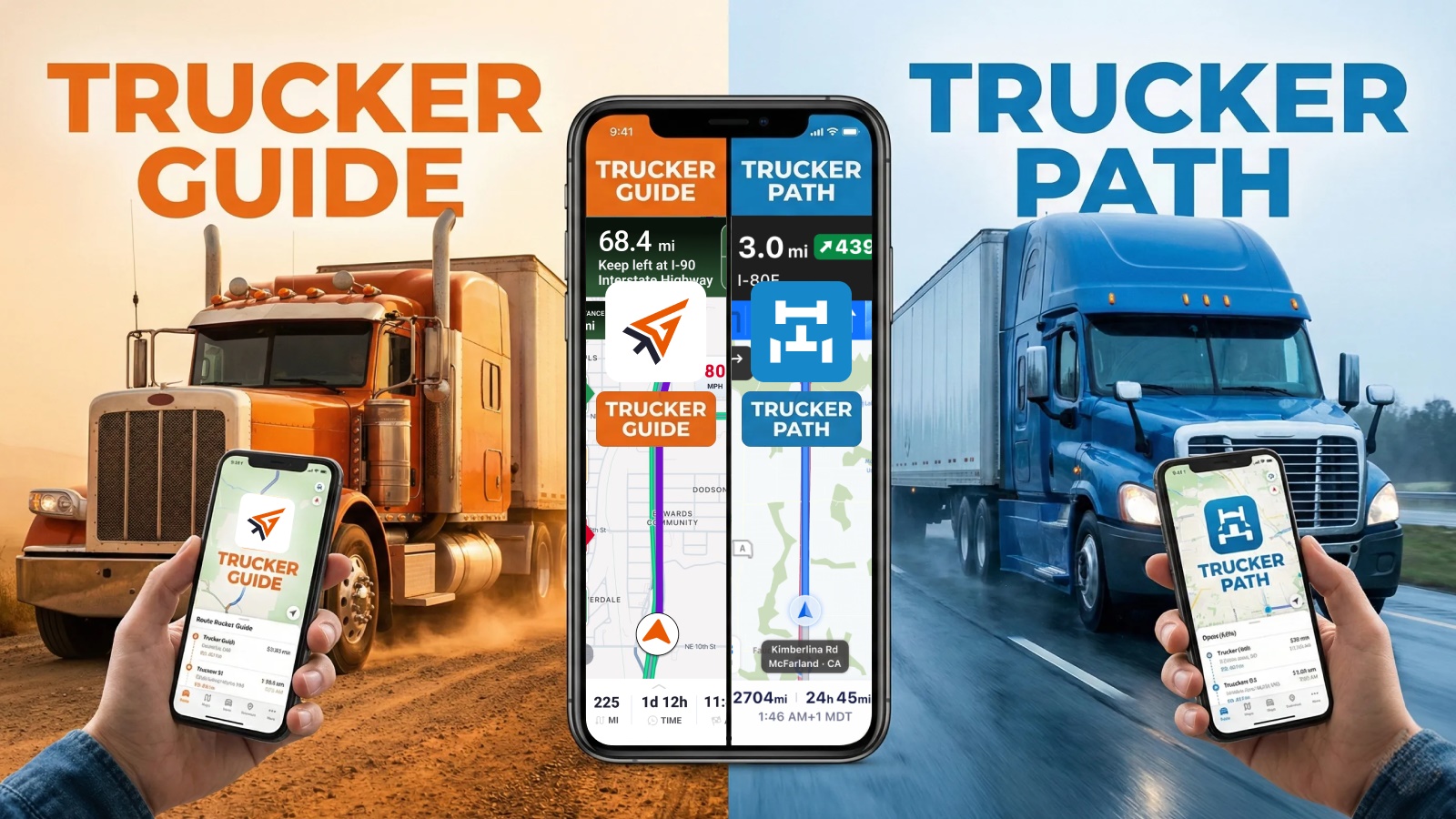
Trucker Guide and Trucker Path are both designed to help truck drivers navigate safely and plan efficient trips, but they focus on different priorities.
Trucker Path combines truck navigation with driver community features, truck stop information, and parking updates. For drivers looking for a Trucker Path alternative that prioritizes reliable navigation, truck stops, rest areas, parking, and fuel planning, Trucker Guide offers a navigation-first solution with offline truck GPS, route planning, and fuel management tools.
In this comparison, we break down Trucker Guide vs. Trucker Path to help professional drivers choose the right trucking navigation app. We compare routing safety, diesel price visibility, pricing, offline navigation, parking, fuel features, and how each performs as a Google Maps alternative.
Quick Summary:
- Trucker Path Diamond subscription costs about $29.99/month or $249.99/year for full navigation and live features.
- Trucker Guide subscription is approximately $14.99/month, with annual pricing around $11/month equivalent.
- Trucker Guide supports offline turn-by-turn navigation with truck-restricted routing data still active without signal.
- Trucker Path offers offline map downloads for the U.S., Canada, and Mexico, with files around 10 GB.
- Trucker Guide integrates real-time parking availability, weigh station status, fuel prices, and traffic cameras into navigation.
- Trucker Guide includes a 7-day free trial before subscription purchase.
Trucker Guide vs Trucker Path: Quick Comparison
Beyond features, pricing is another important factor for drivers choosing between the two apps. Subscription costs can make a significant difference, especially for independent truckers managing fuel, maintenance, insurance, and other business expenses.
Truck Routing Comparison: Trucker Guide vs Trucker Path
Truck routing is one of the most important features in any commercial navigation app. A tractor-trailer cannot simply follow the same route as a passenger vehicle.
A road that looks efficient on a normal map may not be suitable because of:
- bridge height restrictions
- weight limits
- truck-prohibited roads
- narrow streets
- hazardous material restrictions.
Both Trucker Guide and Trucker Path understand these challenges and provide truck-specific routing options.
Trucker Path Truck Routing
Trucker Path allows drivers to create truck profiles and use commercial routing. Drivers can enter vehicle information so the app can avoid unsuitable roads and provide routes designed for larger vehicles.
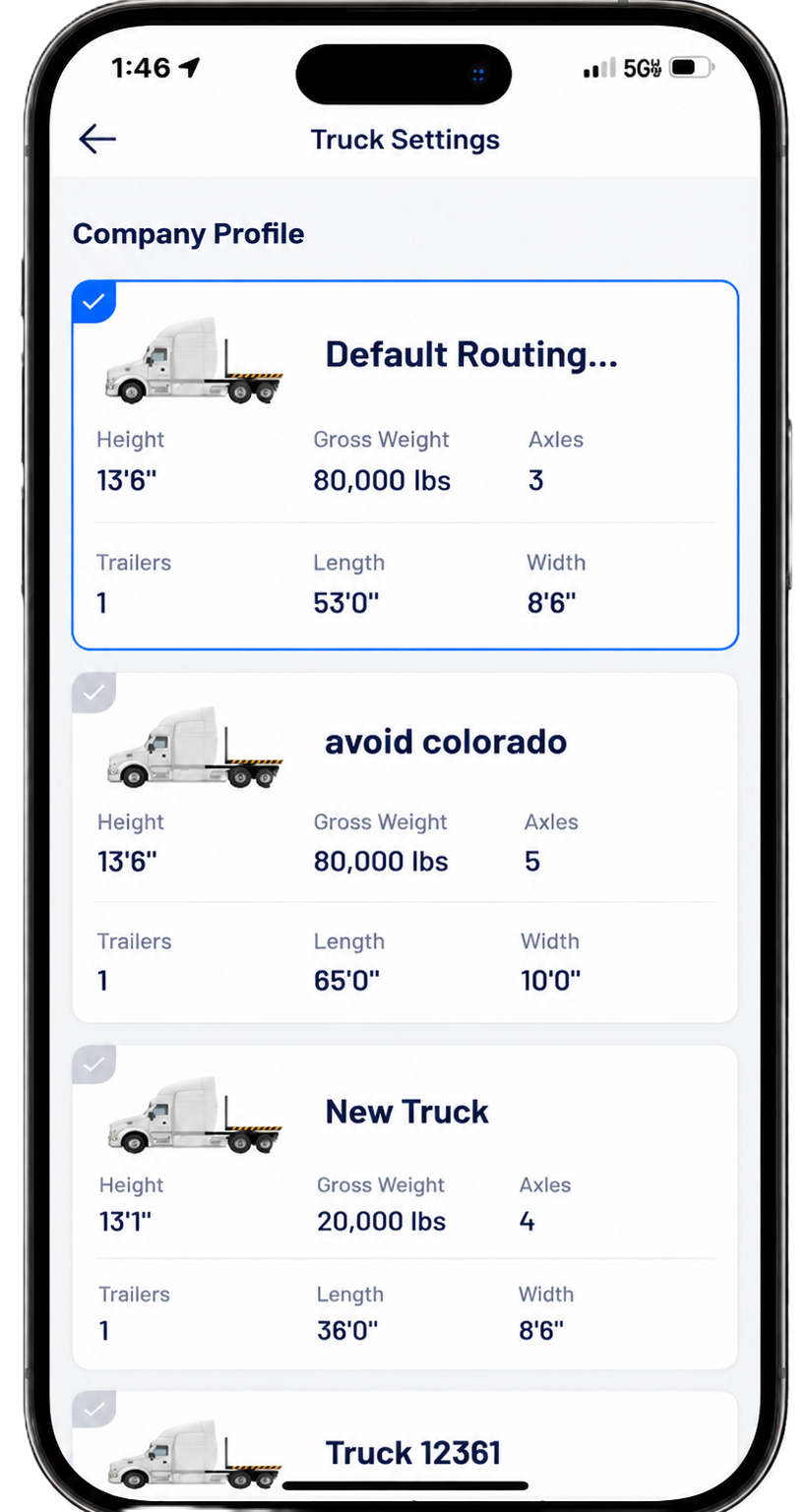
One advantage of Trucker Path is that routing is connected with its large trucking database. Drivers can plan a route while also accessing information about truck stops, services, and locations.
Trucker Guide Truck GPS Truck-Safe Routing
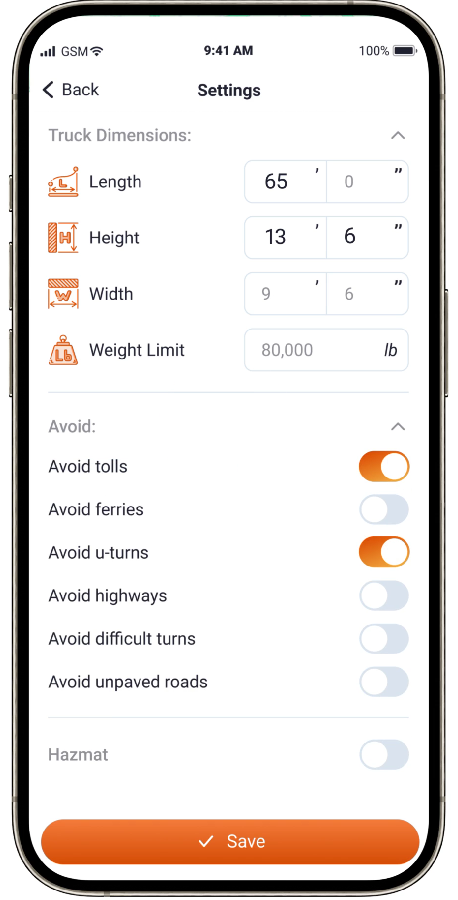
Trucker Guide takes a truck-first approach to GPS navigation by keeping your vehicle’s specifications connected to every route decision. Drivers can customize navigation using essential truck details, including:
- Truck dimensions
- Types of roads to avoid
- Hazmat restrictions
The difference is not only the information itself, but how the driver interacts with it. Trucker Path combines navigation with a large trucking community, while Trucker Guide focuses on making navigation the center of the trip. For drivers who primarily need a GPS tool to complete routes efficiently, a navigation-first approach can be easier to manage.
Which Truck GPS Works Better Without Signal?
Cell service is not always reliable for truck drivers. Long-haul routes often pass through rural areas where internet access can disappear for long periods.
This makes offline navigation one of the most important features in a truck GPS app.
Parking Comparison: Trucker Guide vs Trucker Path
Parking is one of the biggest daily challenges in trucking. A driver can complete a full driving shift and still face a difficult problem: finding a safe place to park before reaching the end of available hours. This is where Trucker Path has built a strong reputation. The app became popular because drivers could share parking updates about truck stops and rest areas. These reports help other drivers understand whether a location is likely to have available spaces.

The limitation is that community information depends on recent driver participation. A location with frequent updates can provide valuable information, while a location without recent reports may not reflect current conditions.
If your primary need is real-time parking for rest break compliance, Trucker Guide is the strongest alternative because it also offers live parking data with a similar color-coded system but updates statuses continuously within the navigation view.
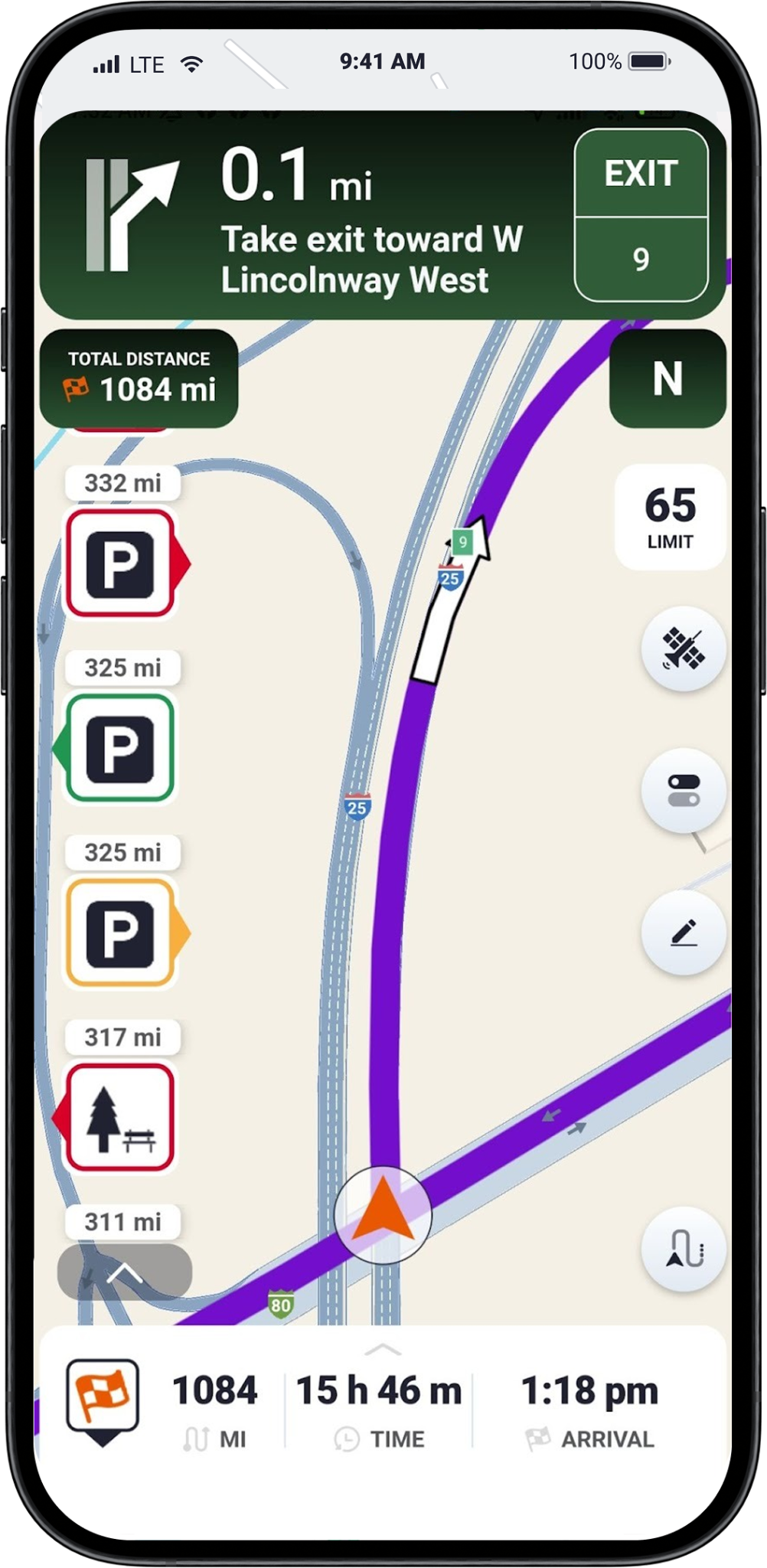
The Trucker Guide app includes around 15,000 truck parking locations, helping drivers identify available parking options while planning their routes. Instead of treating parking as a separate search, the navigation app focuses on helping drivers consider parking options while planning their route.
Fuel Prices and Diesel Planning Comparison
Fuel is one of the highest operating costs in trucking, making diesel planning an important part of efficient trip management. Even small price differences can add up when filling large commercial tanks, making the right fuel stop a critical decision.
For owner-operators and fleet drivers focused on reducing operating costs, combining diesel price tracking with navigation can help improve trip planning, avoid unnecessary miles, and better manage one of trucking’s biggest expenses.
Trucker Path Weigh Stations vs Trucker Guide: Which App Helps Drivers More?
DOT weigh stations are a normal part of commercial driving, but they can still create delays when drivers do not know what is coming ahead. Both Trucker Guide and Trucker Path include weigh station information, but the way they approach the feature is different.
Trucker Path Weigh Stations
Trucker Path has long included weigh station information as part of its trucking database. Drivers can view weigh station locations and access information contributed by the trucking community. The advantage is the amount of driver participation. Truckers can share updates and information that may help other drivers understand what is happening at a particular location.

For example, drivers may report whether a weigh station appears active or whether conditions have changed. The limitation is that community-based information depends on recent updates. A weigh station status can change quickly, and older reports may not always represent current conditions.
Trucker Guide Weigh Station Maps
Trucker Guide provides weigh station maps and location information designed specifically for commercial truck drivers. The app allows drivers to find over 2,000 weigh stations along their routes, view station details, and access weigh station status information to help plan trips more efficiently.
Unlike general navigation tools, Trucker Guide is built around trucking-specific needs. In addition to weigh station locations, the platform includes truck-focused route planning features, truck stops, fuel locations, parking information, and other points of interest used by professional drivers. The weigh station feature can help drivers prepare for inspection points before reaching them. By identifying weigh stations along a route, drivers can better organize travel plans, account for potential inspection delays, and ensure they are prepared for DOT compliance requirements.

Trucker Guide also provides weigh station status updates, including whether locations are open or closed, helping drivers make more informed routing decisions.
How Do Trucker Guide and Trucker Path Compare for Weigh Station Updates?
The difference comes down to priorities. Trucker Path benefits from its large driver community, while Trucker Guide focuses on making important route information available directly during navigation.
What Is the Difference in Traffic and Road Condition Tools?
Truck drivers deal with changing conditions every day. Traffic congestion, accidents, weather, and road closures can affect delivery times, fuel usage, and hours-of-service planning.
Both apps provide tools designed to help drivers make better decisions.
Trucker Path Traffic Features
Trucker Path combines navigation with its large trucking community, giving drivers access to several useful road information tools:
- Live traffic information to help drivers understand congestion and possible delays.
- Traffic alerts to provide updates about changing road conditions.
- Community-reported road conditions that provide real-world updates from truckers on the road.

The app’s main advantage comes from driver-generated information. Truckers can share updates from their routes, giving other drivers additional insight into conditions ahead and helping them make better trip decisions.
Trucker Guide Live Traffic Features
Trucker Guide combines real-time road information with the navigation experience, helping drivers stay informed without switching between multiple apps while traveling.
Key live driving features include:
1. Live traffic updates — help drivers understand congestion and changing road conditions along the route.
2. 80,000+ DOT traffic camera access — allows drivers to check road conditions ahead using live camera feeds.
3. Accident and road hazard information — helps drivers prepare for delays and possible rerouting.
4. Weather and road condition alerts — provide additional information when conditions may affect a trip.
As you plan your route, you can simply tap the “Cameras” option, and Trucker Guide will display live traffic camera feeds along highways, like I-12, I-14, I-16, I-2, I-20, I-22, I-24, I-25, I-26, I-27, I-29, I-30, I-39, I-4, I-41, I-43, I-44, or I-45.
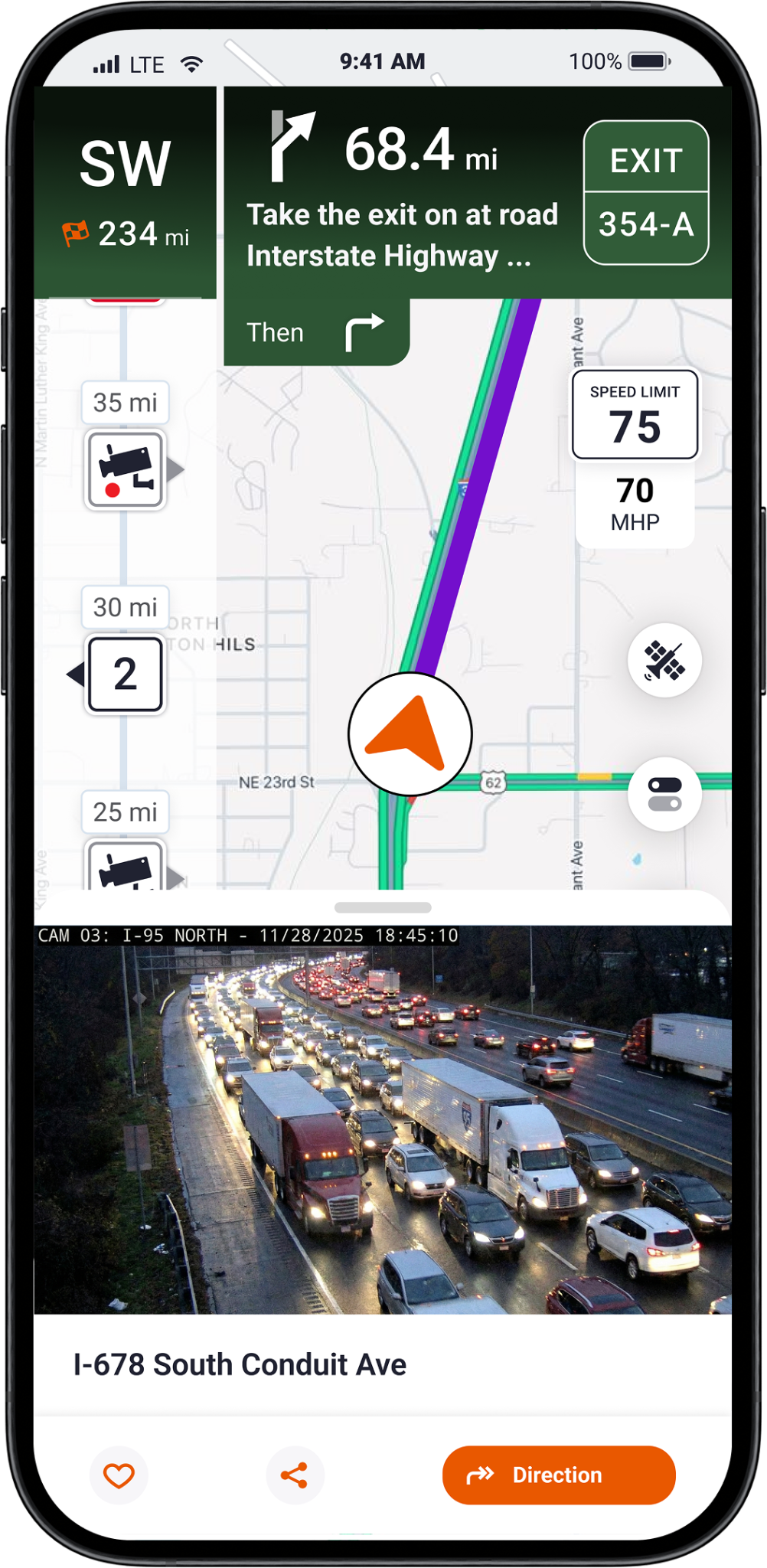
For long-haul drivers, having traffic, cameras, weather, and route information available in one navigation system can reduce distractions and make trip planning easier.
Trucker Path Customer Service vs Trucker Guide Support
Customer support is often overlooked when choosing a professional truck GPS app, but it becomes essential when drivers encounter issues with subscriptions, billing, accounts, or navigation tools. When a problem happens on the road, quick and reliable assistance can make a significant difference.
Trucker Path provides support for subscription management, account issues, billing questions, and technical assistance.
Trucker Guide also offers support for app functionality, subscriptions, account questions, and navigation-related issues. Drivers can reach the support team directly at support@truckerguide.app for assistance, and a contact form is also available for users who need help with specific questions or technical concerns. For professional drivers, responsive support helps ensure that logistics planning tools remain reliable when they are needed most.
How to Cancel Trucker Path Subscription
Many drivers search for “how to cancel Trucker Path subscription” when they are testing another GPS app or no longer need premium features.
The most important thing to know is that deleting the Trucker Path app does not cancel the subscription. The cancellation process depends on where the subscription was purchased. After cancellation, premium features remain available until the end of the current billing period. The subscription renewal is managed by the payment platform, not by deleting the app.
Where Trucker Path Is Better Than Trucker Guide
A fair comparison should recognize the areas where Trucker Path has advantages.
1. Larger Trucking Community
Trucker Path’s biggest advantage is its large trucking community. The platform has built a network of millions of truck drivers who contribute information about parking conditions, truck stops, weigh stations, and road updates.
2. Truck Stop and Location Database
Drivers may appreciate the size of Trucker Path’s database. Trucker Path provides access to over 800,000 trucking locations across North America, including truck stops, parking areas, fuel locations, weigh stations, and other driver resources.
3. Driver Reports
For some drivers, information from other truckers is the most valuable part of the app. These user-generated reports provide additional context that standard maps cannot offer. A driver approaching a busy truck stop, for example, may see recent updates from other truckers before deciding whether to stop or continue to another location.
This community-based approach is one of Trucker Path’s biggest strengths and a key reason why many professional drivers continue using the platform.
Where Trucker Guide Is Better Than Trucker Path
Trucker Guide takes a different approach by focusing on what happens during the trip: accurate truck routing, connected navigation tools, and the essential information drivers need to make better decisions on the road.
1. Lower Subscription Cost
The price difference is significant. Trucker Guide costs about $14.99/month, while Trucker Path Diamond costs about $29.99/month. That is a difference of about $15 per month or $180 per year. For owner-operators and professional drivers who rely on GPS tools every day, those savings can add up while still providing access to important trucking features.
2. 450,000+ Verified Trucking Locations
Trucker Guide is built around the actual needs of truck drivers, combining navigation with access to 450,000+ trucking-related points of interest (POIs), including locations that support daily operations on the road. The advantage is not only the size of the database, but how the information works with navigation.
Trucker Guide connects routing, fuel information, parking details, and essential truck locations in one experience, helping drivers spend less time searching and more time focused on the trip.
3. Fast-Growing Community with Strong User Engagement
Trucker Guide is quickly building a strong community of professional drivers, with the platform trusted by CDL drivers and maintaining a 4.8-star user rating.
As more drivers use the app for truck routing, parking information, fuel planning, and daily trip support, Trucker Guide continues to expand its real-world trucking data and improve the navigation experience. It processes more than 2 million monthly search requests, showing strong daily usage from drivers looking for essential trucking information on the road.

While Trucker Path continues to stand out for its large trucking community, Trucker Guide offers a modern alternative for drivers who want truck-focused navigation, integrated tools, and a more streamlined driving experience in 2026.
.png)
Frequently Asked Questions
Is there an alternative to Trucker Path for comparing diesel prices along a route?
Yes. Trucker Guide provides real-time diesel price information directly within route planning, so drivers can compare fuel prices based on location, distance, and their planned route. The platform also connects drivers with 11,000+ fuel stops, making it easier to find and evaluate fuel stops along the way.
Which app gives you access to live traffic and DOT camera feeds?
Both apps provide traffic tools, but Trucker Guide focuses on integrating road information directly into navigation, while Trucker Path combines traffic features with its large driver community and reports
Is Trucker Guide cheaper than Trucker Path?
Yes. Trucker Guide costs approximately $14.99 per month or $149.99 per year, while Trucker Path Diamond costs approximately $29.99 per month or $249.99 per year.
Can you use Trucker Guide offline like Trucker Path?
Yes. Both apps support offline navigation. Trucker Path offers downloadable offline maps for the U.S., Canada, and Mexico, while Trucker Guide provides offline truck navigation designed for route guidance.
Does Trucker Guide work in Canada as well as the US?
Yes. Trucker Guide supports truck-specific navigation with access to more than 450,000 points of interest (POIs) across the United States and Canada.
How do you switch from Trucker Path to Trucker Guide?
To switch from Trucker Path to Trucker Guide, start by downloading the Trucker Guide app and creating an account. Enter your truck details, including height, weight, length, and axle information, so the app can provide accurate truck routing.
Once your profile is set up, you can begin using Trucker Guide for truck navigation, route planning, fuel stops, and parking information. Many drivers can transition gradually by using Trucker Guide alongside their current tools until they become comfortable with the new navigation system.


