


 Blog
BlogTrucker Guide | Navigation Update: Smarter Routes, Clearer Maps, and Better Planning

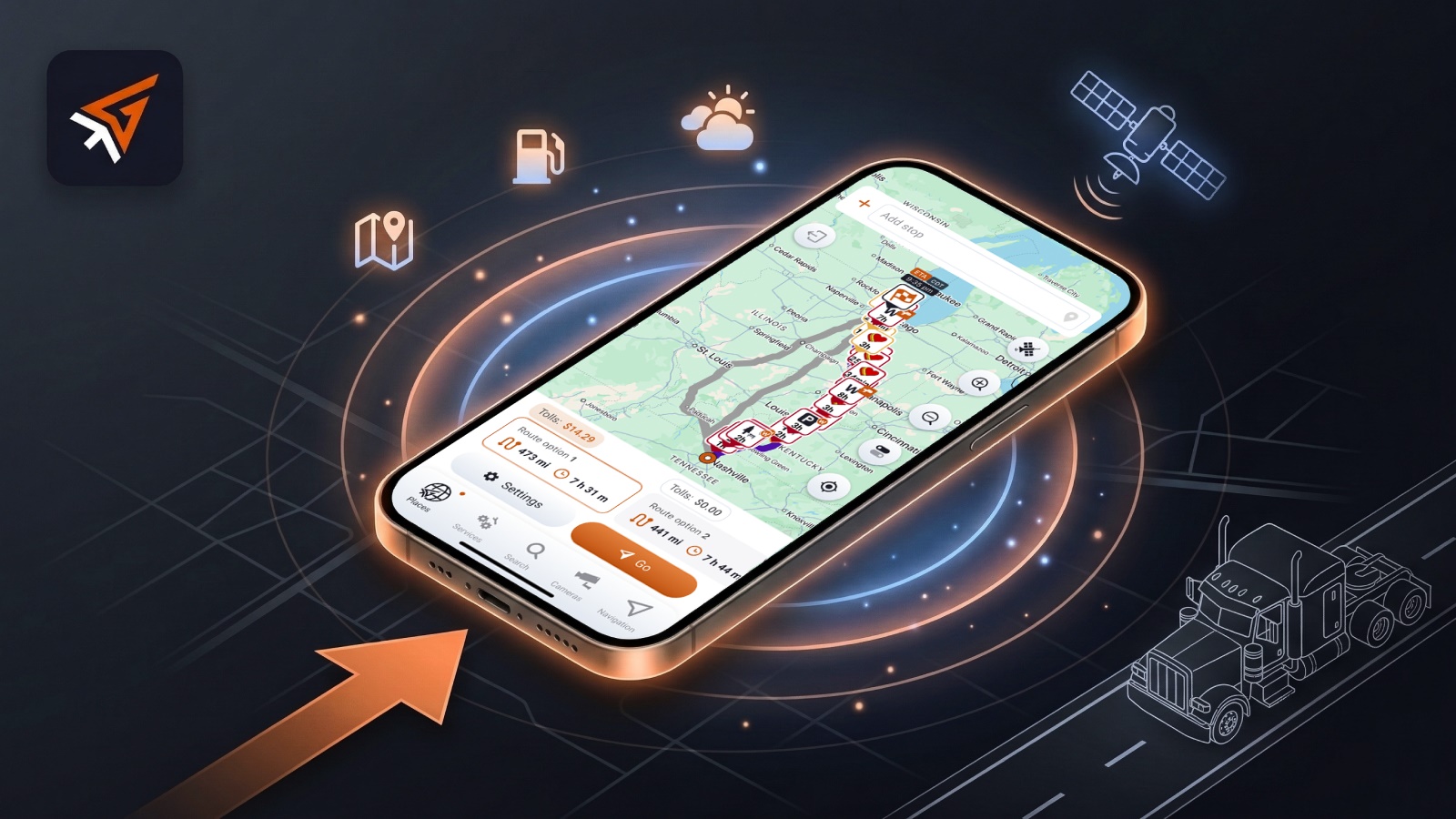
At Trucker Guide, we know that the road can throw plenty of challenges your way, from unpredictable routes to unclear toll costs and cluttered maps. That’s why our latest navigation update focuses on making your trip planning and navigation simpler, smarter, and more in tune with how real truckers drive.
We’ve packed this release with features that give you better control, more flexibility, and smoother performance on every trip. Here’s a full breakdown of what’s new.
Quick Summary:
- The Trucker Guide navigation update allows route planning from any location in the U.S., not just the driver’s current GPS position.
- New route planning displays up to three route options with full upfront toll cost visibility before trip start.
- Improved POI filtering enables multi-category selection (such as truck stops, rest areas, and weigh stations) or single-category narrowing via double-tap selection.
- A new “Seasonal Closures” avoid setting automatically reroutes trips based on road restrictions and vehicle dimensions.
- The re-center map button has been enlarged and repositioned for faster access during active navigation.
- System-wide performance improvements include faster rerouting, smoother map scrolling, and quicker navigation response times.
.png)
1. Plan Routes from Anywhere in the U.S.
You can now build a route from anywhere, not just your current location. Choose any starting point in the U.S., view toll costs, and explore route options directly from your phone or tablet.
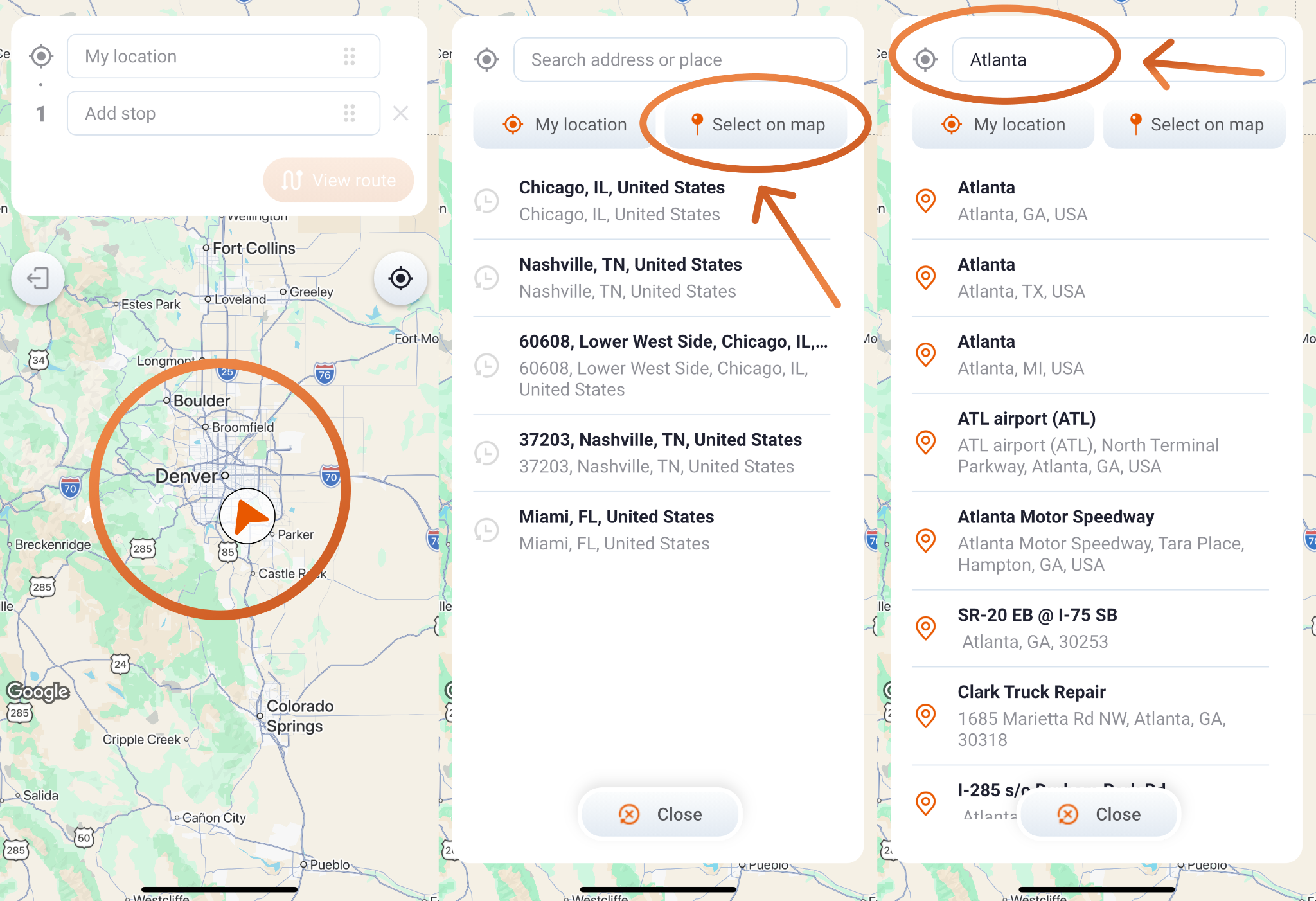
This feature is ideal for pre-trip planning, dispatch coordination, or reviewing routes before you start driving. It helps you plan smarter, save time, and begin every trip with confidence.
2. Transparent Toll Costs from the Start
No more surprises at the toll booth. When planning a route, you now see up to three route options, each showing total toll costs upfront.
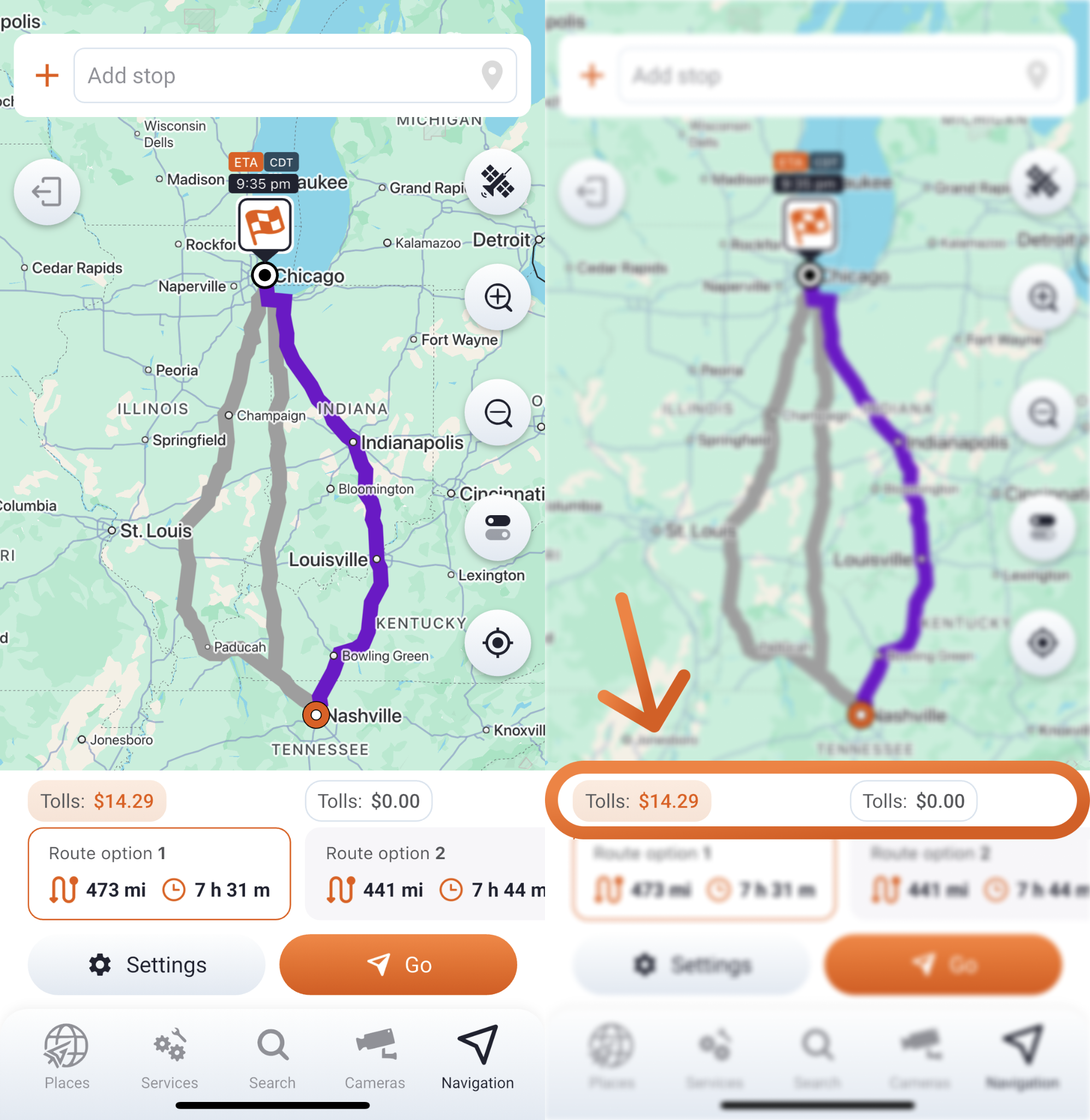
This makes it easy to compare and choose what works best for your run, whether that means saving money by skipping pricey routes or shaving off time with the fastest one. You’re always in control of how you balance time and expense.
3. Smarter POI Filters That Adapt to You
Finding the right fuel stop, rest area, or repair shop shouldn’t mean fighting through a cluttered map. That’s why we’ve improved the Points of Interest (POI) filters.
You can now:
- Select multiple categories, let's say truck stops, rest areas, and weigh stations, to see what’s nearby in one clean view.
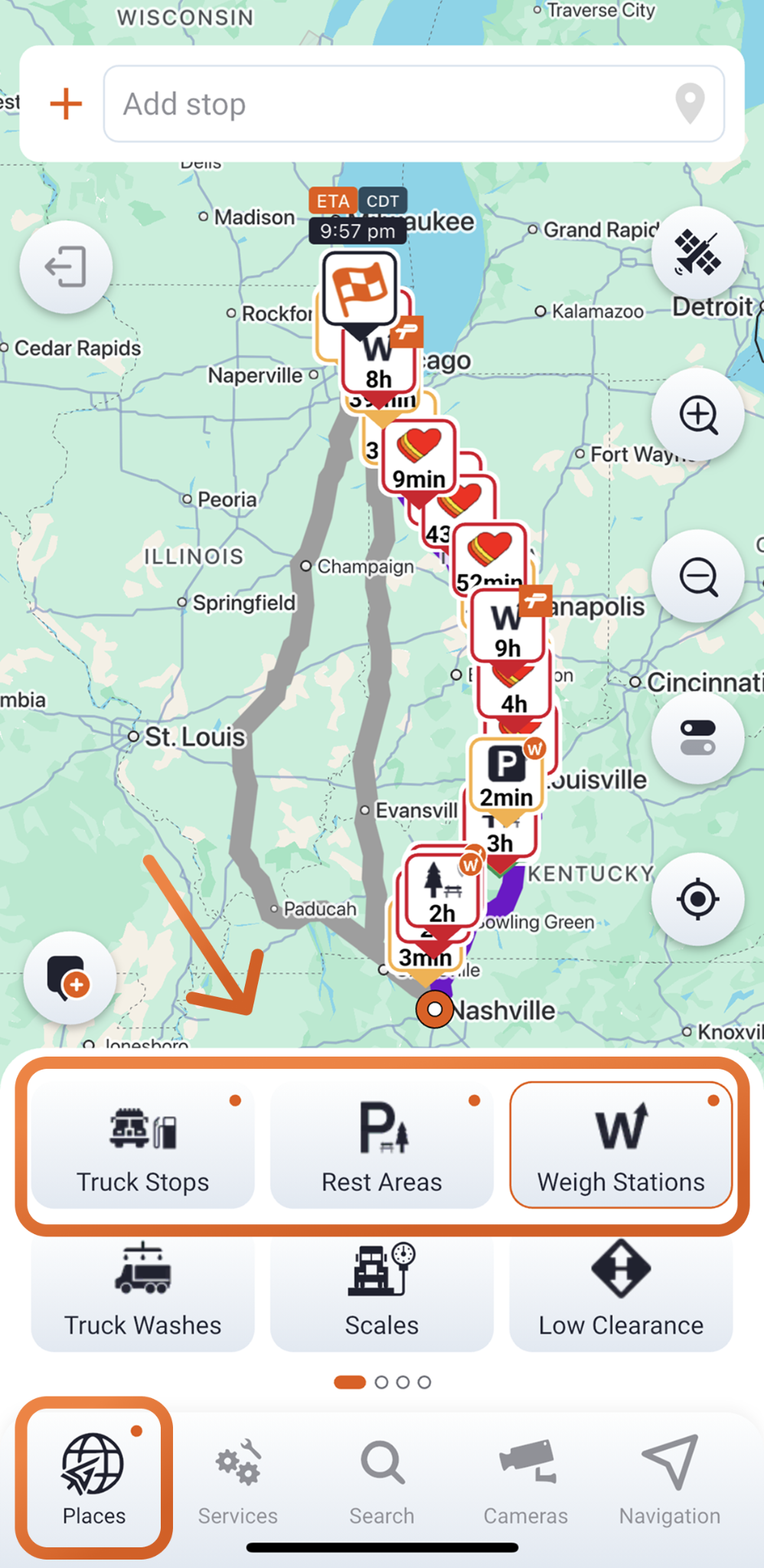
- Double-tap a single category to narrow down only what you need.
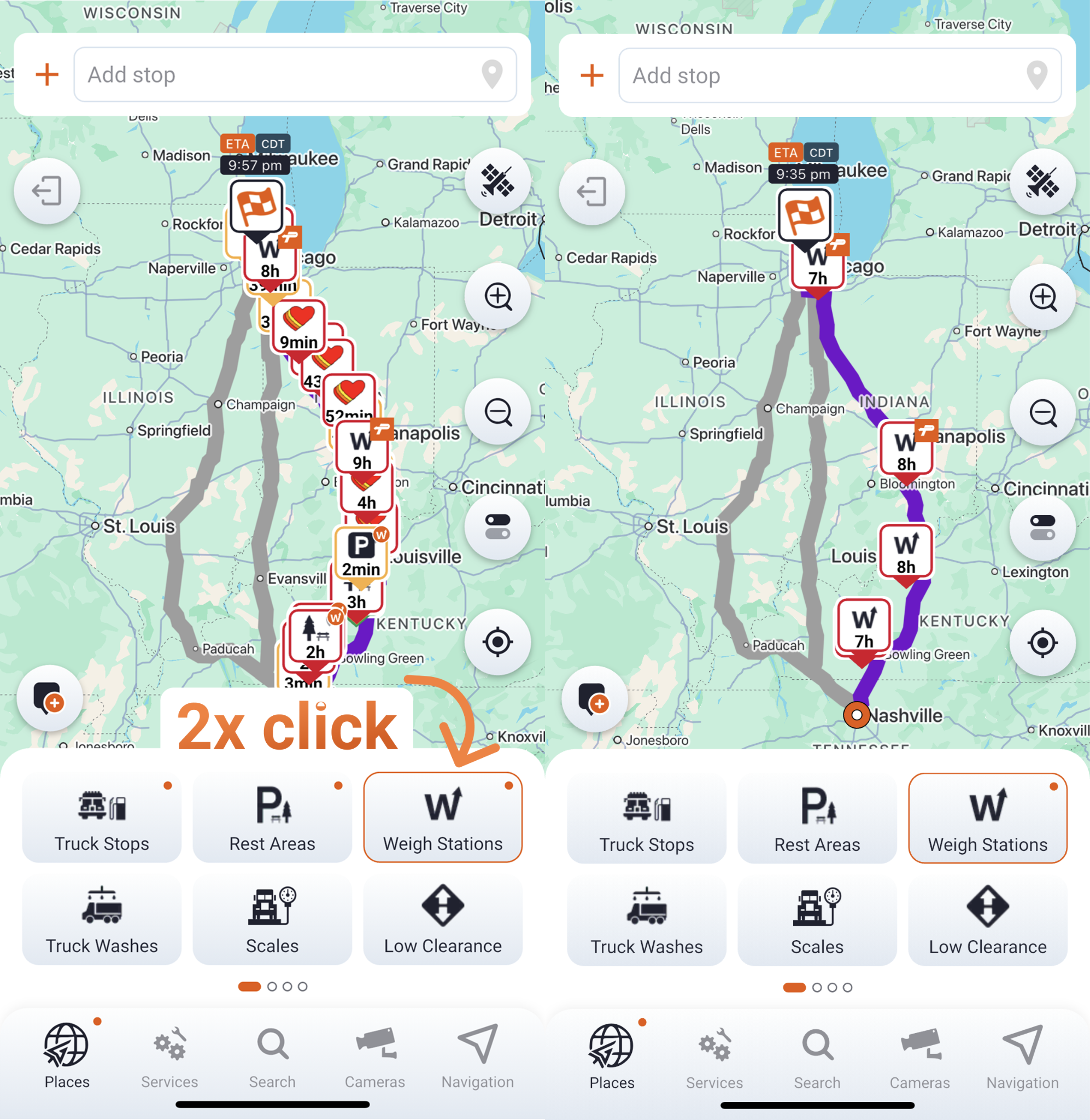
With these tweaks, your map stays focused and clear, showing only what matters most for your trip.
4. Avoid Seasonal Closures Automatically
Few things are more frustrating than discovering a closed road mid-route. To help you steer clear of those surprises, we’ve added a new “Seasonal Closures” option in the “Avoid” settings.

Combined with your truck’s dimensions, this feature automatically reroutes around seasonal restrictions, keeping your trip safe, compliant, and predictable no matter the time of year.
5. A Bigger, Easier Re-Center Button
During navigation, keeping your truck centered on the map should be simple. The Re-center button is now larger, easier to find, and placed right on the directions screen for quick access.
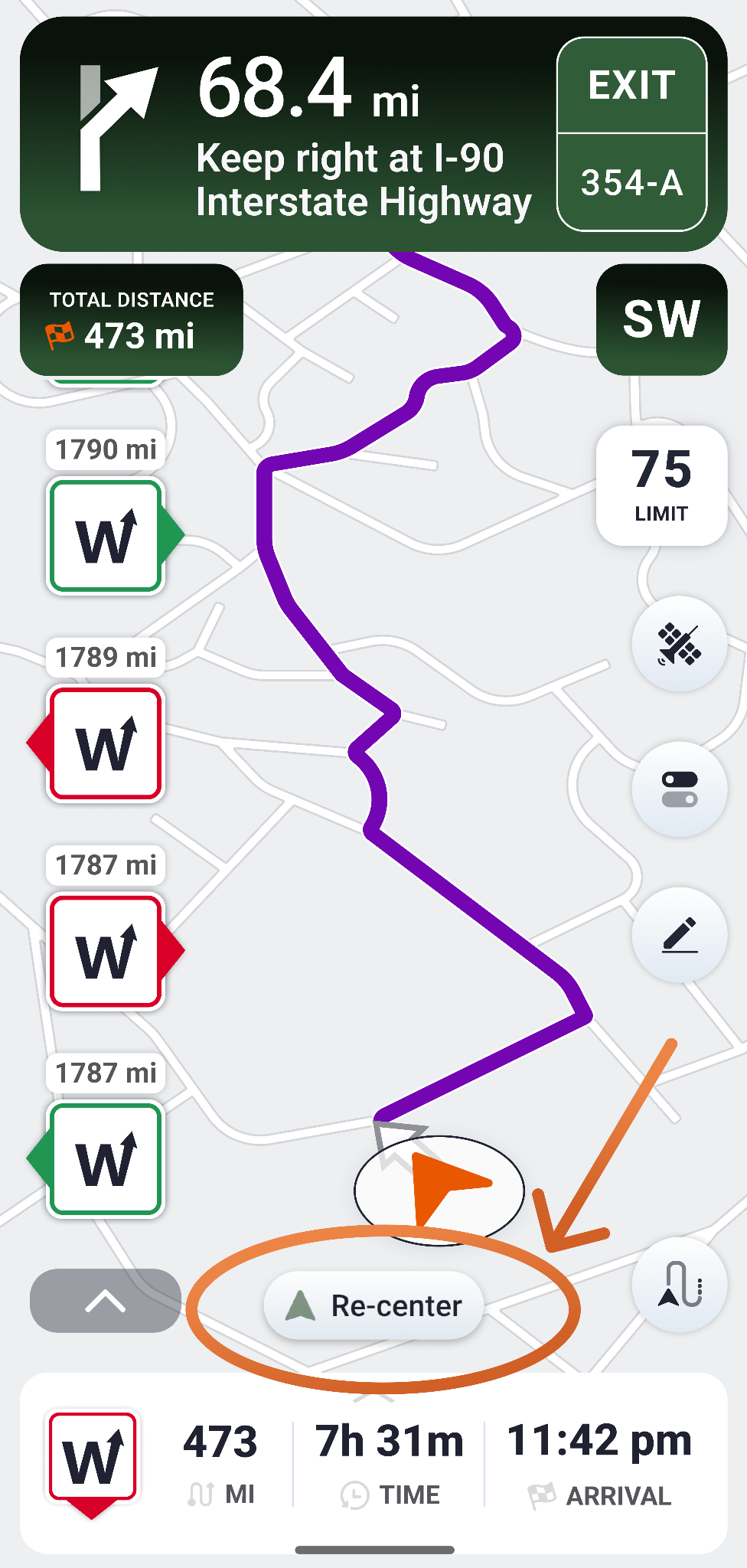
When you zoom in, pan ahead, or check nearby stops, one quick tap brings your truck back into view. This makes it easier to stay oriented, follow your route, and focus on the drive.
6. Smoother Performance, Quicker Response
We’ve fine-tuned how Trucker Guide handles maps and navigation under the hood. You’ll notice faster rerouting, smoother scrolling, and quicker interaction all around. Every update, from toll info to POI filters, now works together seamlessly so you spend less time adjusting settings and more time focusing on the road.
This update reflects our ongoing mission at Trucker Guide: to make navigation tools that think the way truckers do. By combining practical insights with reliable performance, we’re helping you plan more efficiently, stay safer on the road, and make every mile count.
So go ahead, open your next route in the updated Trucker Guide | Navigation and experience smarter routing built for real trucking life.


