



Trucker Guide Gets Better: Explore the Latest App Updates


We’ve made several updates to Trucker Guide to help you plan routes, navigate with more confidence, and find the places and services you need on the road. You can now preview your route before starting navigation, get clearer guidance at highway exits, search more businesses across the United States, and use additional information to choose trucking service providers.
Here’s a closer look at what’s new and how these updates can help you on the road. 👇🏻
Quick Summary:
- Build and preview your route before purchasing a navigation subscription.
- Get lane and exit guidance with Lane Assistance and Junction View.
- See your current road name, an ETA time zone indicator, and a cleaner navigation map.
- Search for businesses and delivery destinations by name or address.
- Find trucking service providers using ratings and the Distance, Open Now, and Deals filters.
.webp)
Search Beyond Trucking Locations
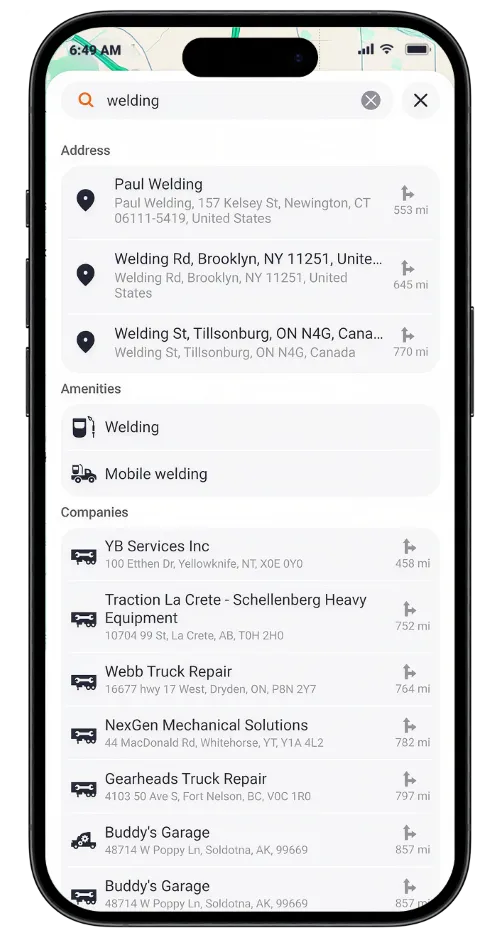
Finding the right destination shouldn't mean scrolling through places that don't match what you're looking for. Trucker Guide now offers expanded search coverage across the United States, including a broader range of businesses and points of interest alongside established trucking locations.
Search by business name, service, or address to find relevant destinations, including your delivery location. Each search result displays the distance to the destination, helping you evaluate nearby options and plan your route more efficiently.
Find the Right Service Provider with Better Filters
Finding a truck stop, repair shop, towing service, or other location is easier with Trucker Guide’s improved search filters.
Use Distance to find nearby locations, Open Now to see which places are currently open, and Deals to discover discounts and special offers. These filters help you narrow your search and find the right option faster.
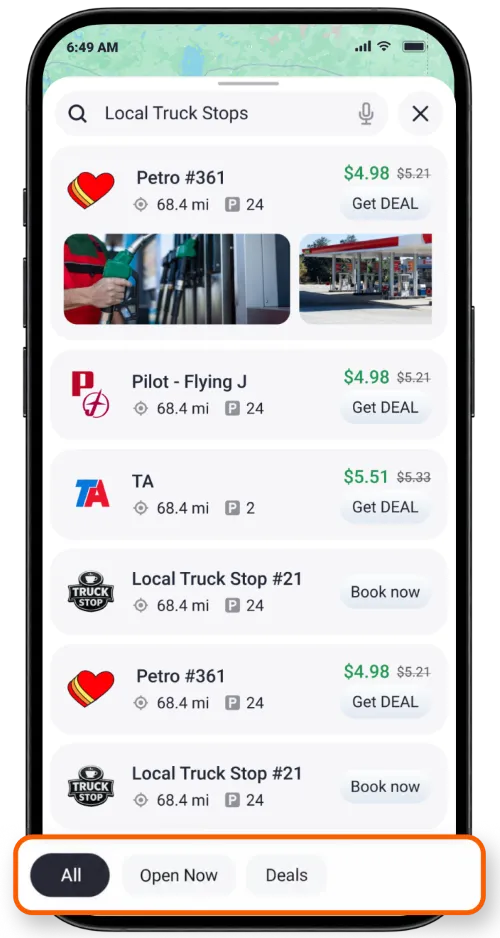
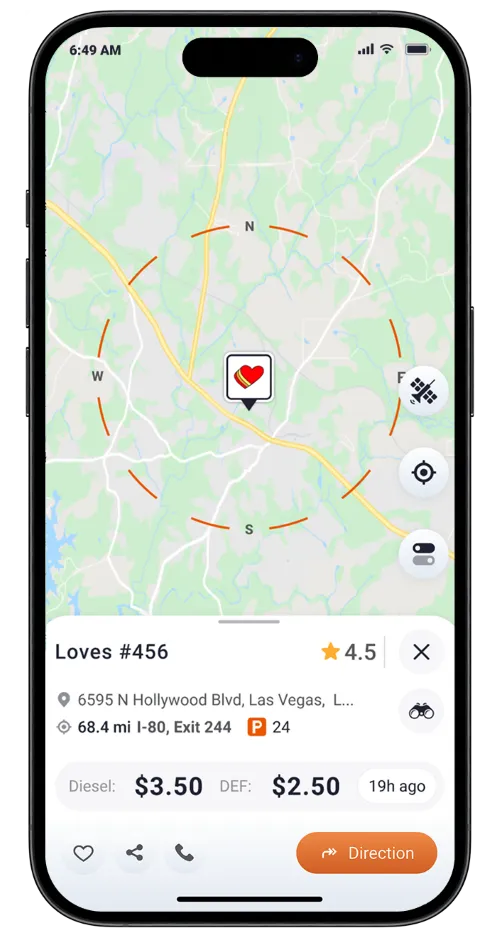
Compare locations and services, spend less time searching, and find what you need along your route. Once you've found the right place, you can build a route directly to it in Trucker Guide.
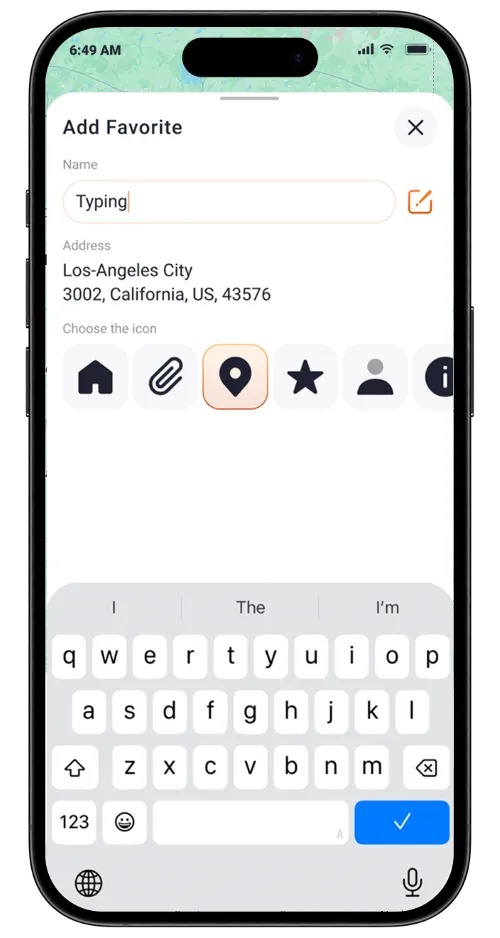
For places you visit regularly, you can also use My Favorites, introduced in our previous app update, to save delivery locations and other frequently visited places for easy access later.
Get a Better Idea of Truck Parking Availability
Finding parking can be one of the more frustrating parts of a long day on the road. You don't want to head to a location without knowing what to expect.
That's why we're working on making Parking Status in company listings more informative. The goal is to give you an approximate idea of how many parking spaces are available at a location, rather than leave you guessing based on a vague status.
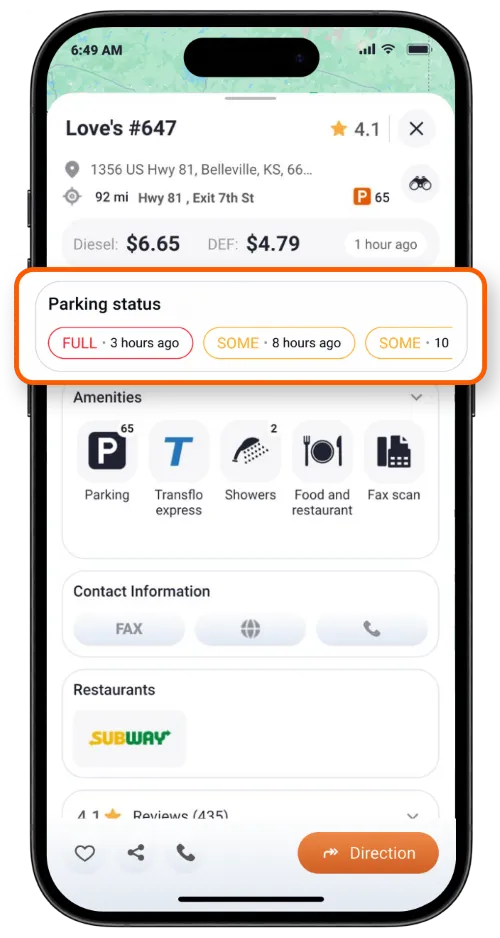
We're still refining how this information is displayed, so the current status shouldn't be treated as a guarantee that a space will be available when you arrive. We're working toward making parking and weigh station information more useful for drivers making decisions about their next stop.
Plan Your Route Before You Hit the Road
Not ready to start a subscription just yet? Now you can build a route and look it over before deciding to start navigation.
We wanted to make it easier to see where your route will take you before committing to a subscription. With this update, you can explore your planned route first.
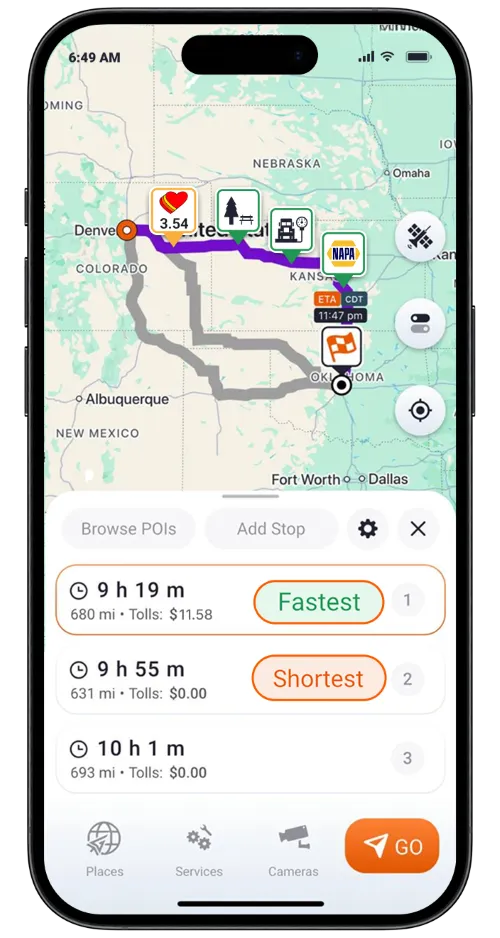
The subscription prompt appears when you tap Go to begin navigation. That way, you can get a better idea of your trip before making your decision.
A Cleaner Navigation Map That Keeps You Focused
When you're navigating, the last thing you need is a screen crowded with details competing for your attention. We've simplified the standard navigation map to make your route easier to follow and keep the focus on the road ahead.
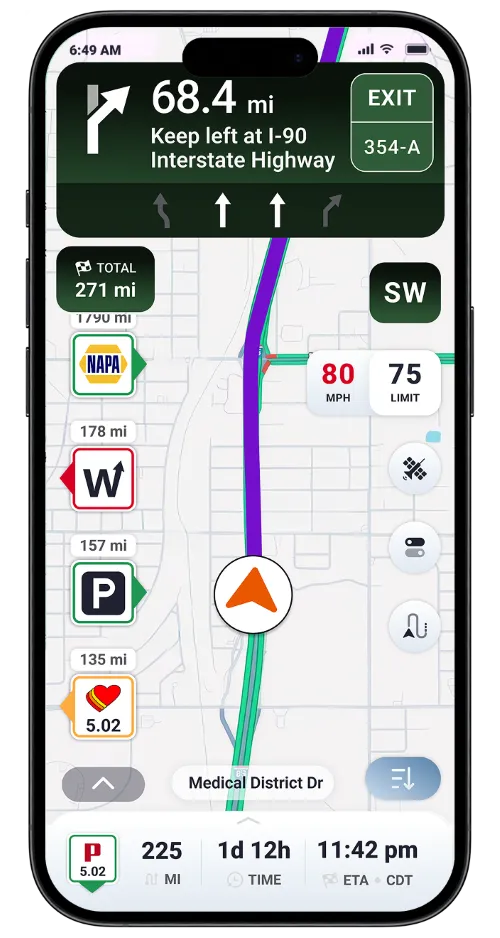
But what if you need more detail about the area around you? You can switch to Satellite View whenever you want a more detailed look at your surroundings. Use the cleaner navigation view for following your route, then switch to Satellite View when you need extra geographic context.
Know Which Lane to Take with Lane Assistance
Getting into the correct lane before a turn or exit can make a big difference, especially when you're driving a truck through busy interchanges. That's why we're introducing Lane Assistance, one of the features our users have been asking us for.
During navigation, Lane Assistance shows you which lane to take for an upcoming maneuver. Instead of relying on the route line alone, you'll have an additional visual cue to help you prepare for a turn or lane change.
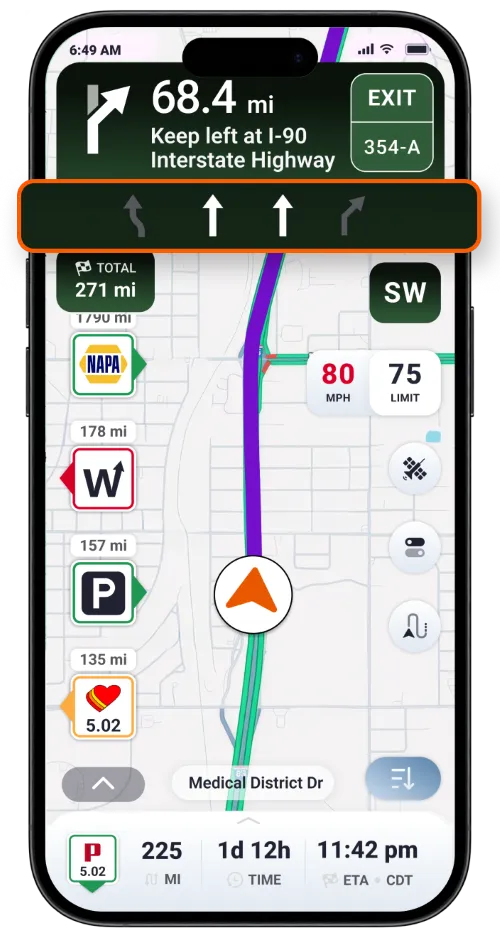
It's all about making the next move clearer, so you can focus on driving and prepare for what's ahead.
Get a Clearer View of Junctions and Exits
Highway interchanges aren't always easy to figure out from a standard map. Sometimes, you need a better look at the road layout to understand which exit to take.
That's where Junction View comes in. It shows a visual representation of an upcoming junction or exit to help you understand your route. Need to get the map back on screen? Just tap the X to close the view.
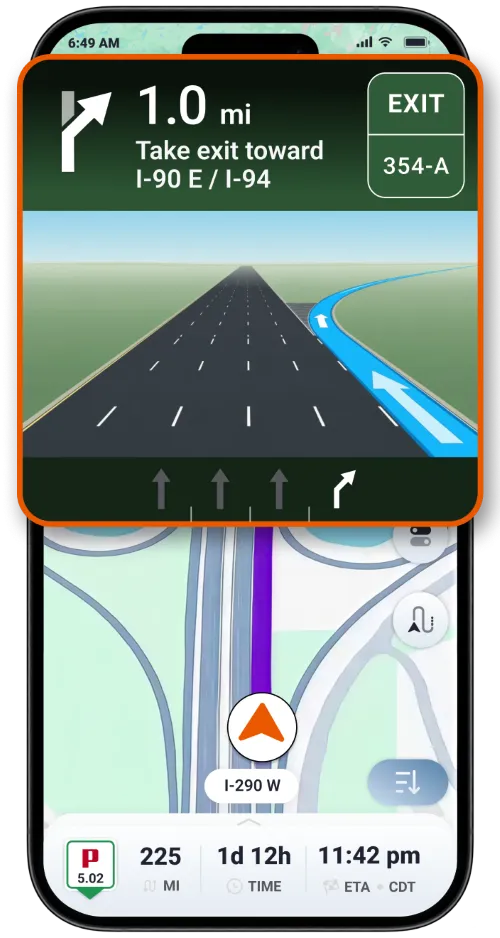
Lane Assistance and Junction View work together to give you a clearer picture of where to go before your next turn or exit.
Know Which Road You're Driving On
Ever wanted to double-check the road number while following your route? We've made that easier, too.
The navigation screen now displays the name of the road you're currently traveling on. You can see this information right on the screen instead of having to search the map for a road label.
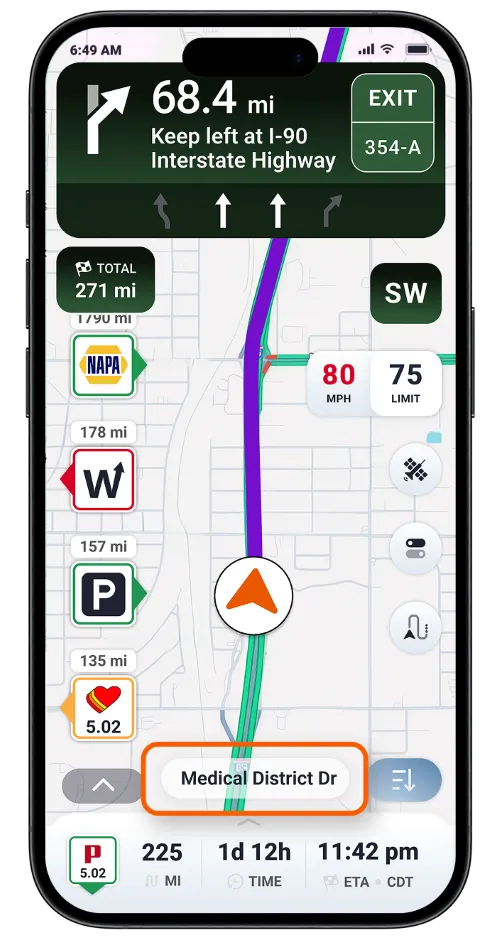
See the Time Zone Next to Your ETA
When you're covering long distances, your estimated arrival time can get confusing as you cross time zones. We heard that this information needed to be clearer, so we've added a time zone indicator next to your ETA.
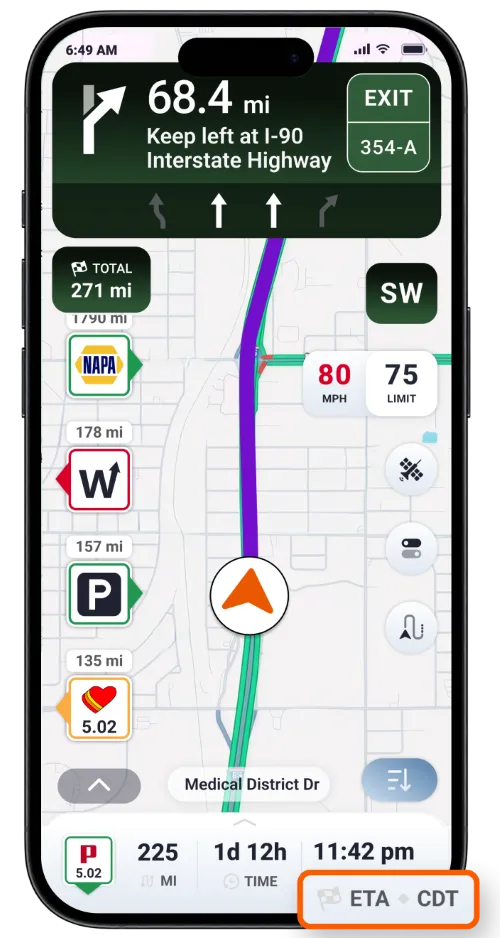
Now, you can see the time zone associated with your estimated arrival time, giving you a clearer reference when planning deliveries, appointments, and stops across different regions.
Ready to Try the Updates?
Open Trucker Guide and explore the updated navigation and search experience. Try Lane Assistance and Junction View on your next trip, look up a destination using the expanded search, or use the service filters to narrow down your options.
Have ideas or suggestions to make Trucker Guide even more useful on the road? We'd love to hear from you! Share your feedback with us at support@truckerguide.app or leave a review in the app store.
Frequently Asked Questions
Can I preview a route in Trucker Guide without a subscription?
Yes. You can build and review a route before purchasing a subscription. The subscription prompt appears when you tap Go to start navigation.
What does Lane Assistance do in Trucker Guide?
Lane Assistance shows you which lane to take for an upcoming turn or maneuver during navigation, helping you prepare for lane changes and exits.
How does Junction View help truck drivers?
Junction View in Trucker Guide shows a visual representation of an upcoming junction or exit, making it easier to understand your route. You can close the view by tapping the X.
Can I search for a delivery address in Trucker Guide?
Yes. You can search for businesses and points of interest by name or address, including delivery destinations. Search results show the distance to each location, and you can build a route to your chosen destination.
How can I find open trucking service providers?
Open the service-company list and use the Open now filter to narrow your results to businesses marked as currently open. You can also check ratings and use the Deals filter to compare available options.
Does Trucker Guide show available truck parking spaces?
Trucker Guide’s Parking Status indicator is being refined to provide a more informative estimate of parking availability. For now, treat it as an indication rather than a guarantee that a space will be available when you arrive.


