



Best Budget Truck Navigation Apps for Owner-Operators Compared


Trucker Guide is a strong overall-value choice because it combines truck-specific routing, live parking, road information, and trip-planning tools at $14.99 per month. It also adds features that can make truck route planning more practical, including CAT Scale access through Weigh My Truck, Walmart truck parking information, background navigation, seasonal closure avoidance, and route planning from any location.
Other truck GPS apps have their own advantages. Hammer appeals to drivers looking for a lower-cost option, TruckMap offers a lifetime plan, Sygic Truck and CoPilot focus heavily on offline navigation, and Trucker Path is known for parking and driver information.
For owner-operators, the best choice ultimately depends on what matters most during a trip. If the goal is a low-cost commercial truck GPS that goes beyond basic directions and brings several useful trucking tools together, Trucker Guide offers strong overall value.
Key Facts:
- Trucker Guide starts at $14.99/month and offers a $149.99 annual plan plus a 7-day trial.
- It combines truck routing, live parking, fuel, scales, traffic, weather, cameras, and truck locations.
- Special features include Weigh My Truck access, live Walmart parking status, background navigation, seasonal closure avoidance, and route planning from any location.
- Trucker Path Diamond costs $249.99/year, compared with $149.99/year for Trucker Guide.
- Hammer is the cheapest subscription in this comparison at $4.99/month or $49.99/year.
- The best budget app depends on whether you prioritize price, parking, offline navigation, or a broader truck-driving toolkit.
Why Are Truckers Looking Beyond Google Maps?
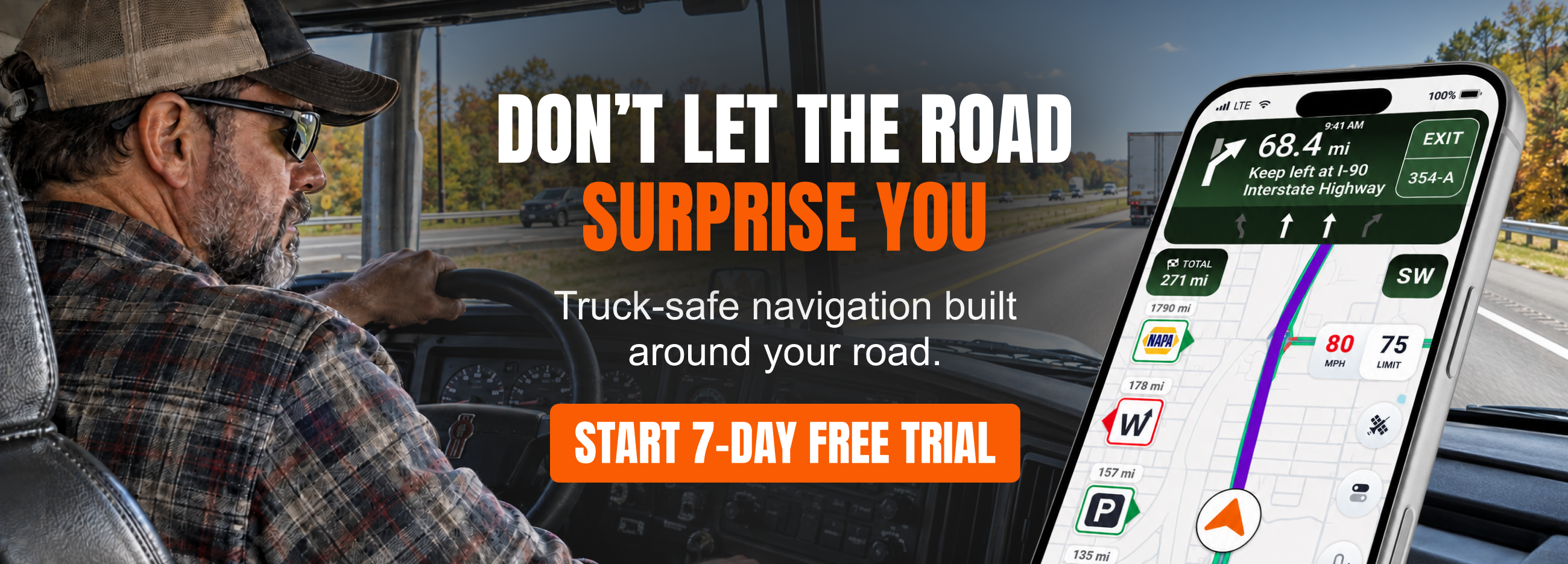
Google Maps is useful for everyday navigation, traffic, businesses, and general road information. But commercial trucks have routing requirements that passenger vehicles do not. A route that works for a car may include a low bridge, weight restriction, truck-prohibited road, tight turn, or other restriction that makes it unsuitable for a tractor-trailer. Dedicated truck navigation is designed to account for these commercial-driving considerations.
That is why many drivers look for Google Maps alternatives for trucks. Instead of simply calculating the fastest route between two points, truck navigation can factor in vehicle restrictions and trucking-specific information. For an owner-operator, the route is only part of the trip. Parking, fuel, weigh stations, traffic, weather, and road conditions can all affect how efficiently a load gets delivered. A good truck navigation app should therefore help with both getting there and managing the trip along the way.
Why Are Truck Navigation Apps Better Alternatives to Google Maps?
General navigation apps are built primarily around passenger vehicles. Truck navigation takes a different approach because the vehicle itself affects which roads are practical or legal to use.
Depending on the truck and route, drivers may need to avoid:
- Low bridges
- Weight-restricted roads
- Truck-prohibited roads
- Height restrictions
- Commercial restrictions
- Seasonal closures
- Roads unsuitable for a particular truck
This is one of the main reasons dedicated truck navigation apps have become popular alternatives to Google Maps. Current truck-navigation guides consistently highlight vehicle dimensions and commercial restrictions as important differences between truck GPS systems and consumer navigation.
But safe routing is only one part of the job. Drivers also need to know where they can park, find fuel, check traffic, locate a scale, and adjust a route when conditions change. That broader set of tools is where low-cost trucking navigation apps can offer more value than a standard navigation app.
Quick Comparison: Budget Truck Navigation Apps
The lowest price does not automatically mean the best value. Hammer has the lowest subscription price in this comparison, while TruckMap offers a lifetime option. Trucker Guide sits between those choices and higher-priced options, but brings a broader set of live trucking tools into one app.
It also costs $100 less per year than Trucker Path Diamond, which can make a meaningful difference for an owner-operator managing fuel, maintenance, insurance, and other operating costs.
Trucker Guide vs. Trucker Path
Both apps can help truck drivers plan routes and find parking, but they offer different strengths.
The annual price difference is clear: Trucker Guide costs $149.99 per year, while Trucker Path Diamond costs $249.99. For an owner-operator, however, the comparison goes beyond subscription price.
The useful question is what the app can handle during an actual trip. Trucker Guide combines navigation with live parking, Walmart parking information, CAT Scale access, traffic, weather, cameras, fuel information, seasonal closure avoidance, background navigation, and route planning from any location.
What Does Trucker Guide Offer Beyond Basic Truck GPS?
Trucker Guide is built around the idea that navigation should support the entire trip, not just provide turn-by-turn directions. Its truck-specific GPS is paired with parking, fuel, scales, traffic, weather, cameras, truck stops, rest areas, and other information drivers can use while planning and driving.
1. Truck-Specific Route Planning
A truck route needs to account for more than distance and estimated travel time. Trucker Guide helps drivers plan around truck restrictions and low-clearance information, making it a practical Google Maps alternative for trucks. The focus is on finding a route that fits the commercial vehicle rather than simply finding the fastest route for a passenger car.

2. Live Truck Parking
Parking can become one of the biggest challenges at the end of a driving day. Trucker Guide provides live parking information for truck stops, rest areas, and public parking near the driver or along the route. That lets drivers consider parking while planning the trip instead of leaving the search until the end of the day.
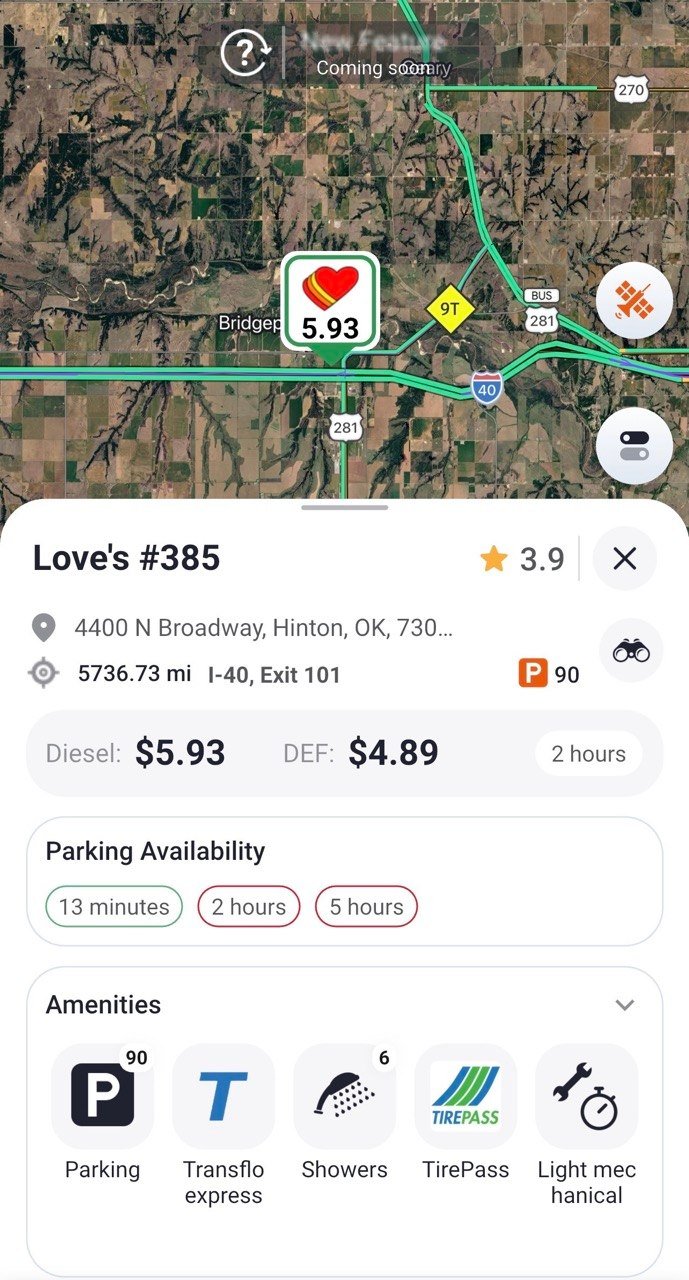
It turns parking from a last-minute problem into part of the route-planning process.
3. Walmart Truck Parking
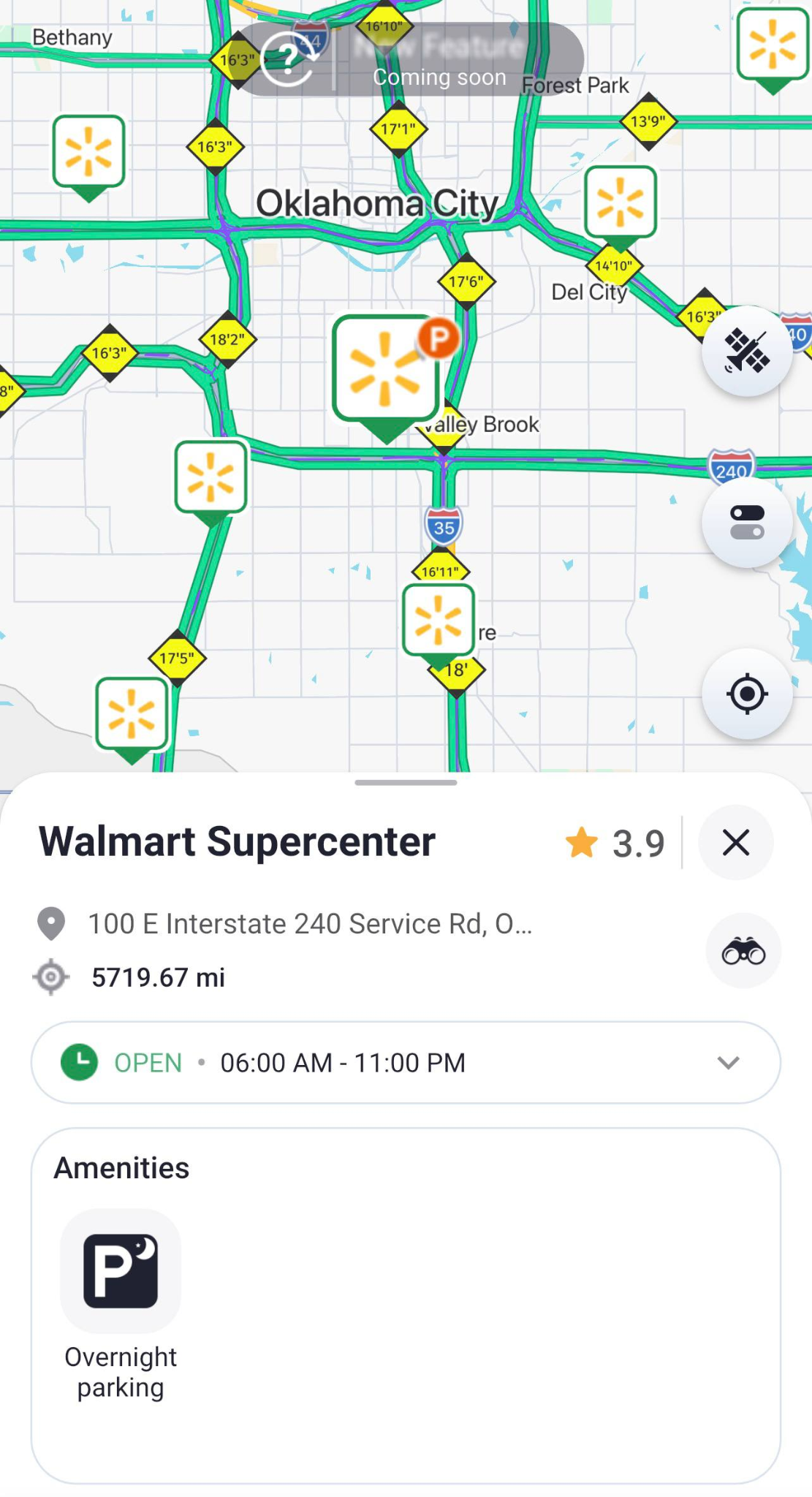
Walmart can be another potential stopping point, but overnight truck parking is not available at every location. Trucker Guide helps drivers identify Walmarts that allow overnight truck parking, along with live open or closed status, satellite views of entrances and exits, and one-tap routing. That extra information can make it easier to decide whether a Walmart is a realistic option for rest or an overnight stop.
4. CAT Scales and Weigh My Truck
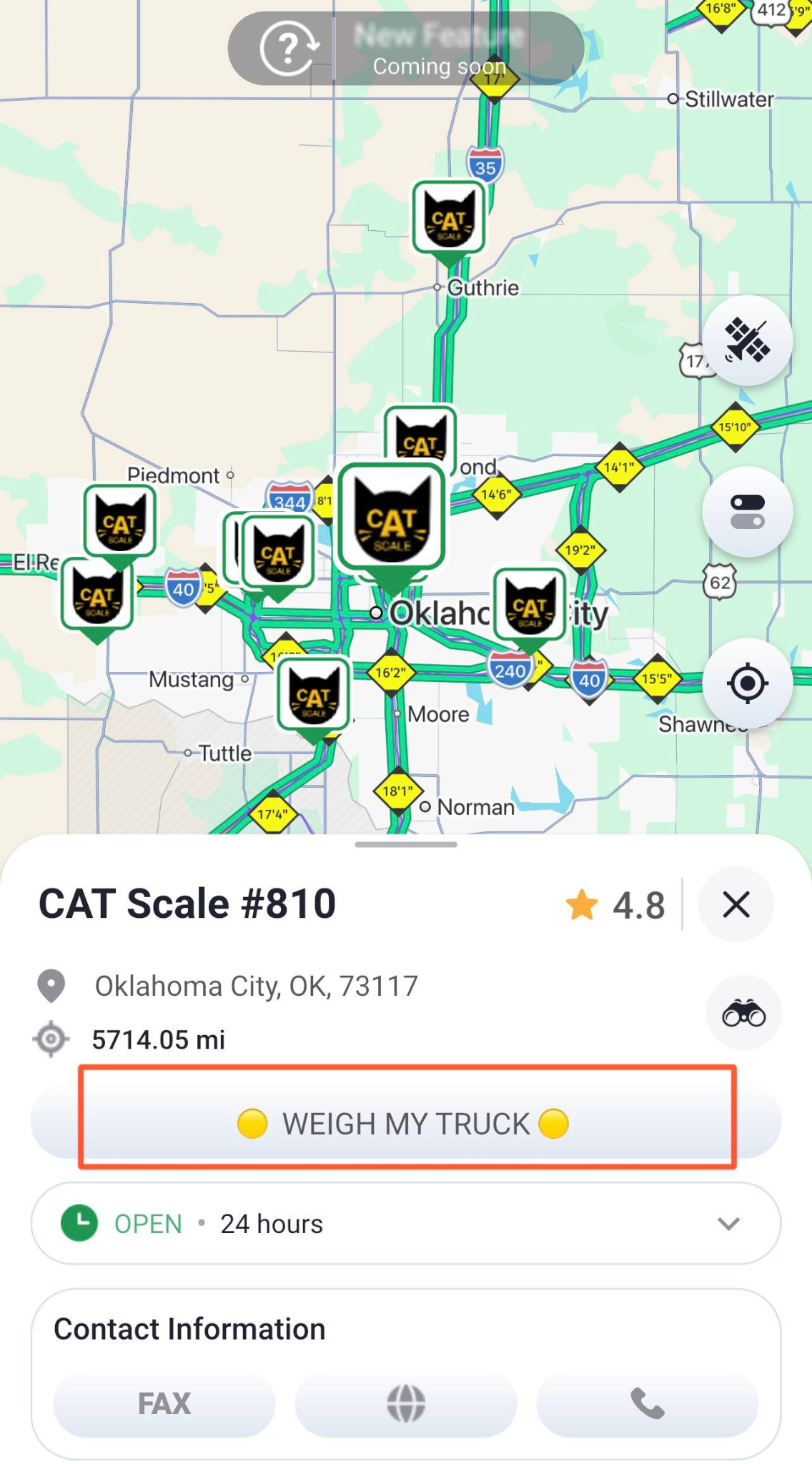
Scale stops are another routine part of trucking, and finding the right location is only the first step. Trucker Guide lets drivers find CAT Scale locations and launch Weigh My Truck to continue with the weighing and payment process. Instead of treating the scale as just another map pin, the feature connects location information with the next step of the weighing process.
5. Background Navigation
Truck drivers often need more than one app open during a trip. Navigation may run alongside an ELD, dispatch software, communication tools, or other driving-related apps. Trucker Guide can keep navigation running when the app is minimized, or another app is opened.
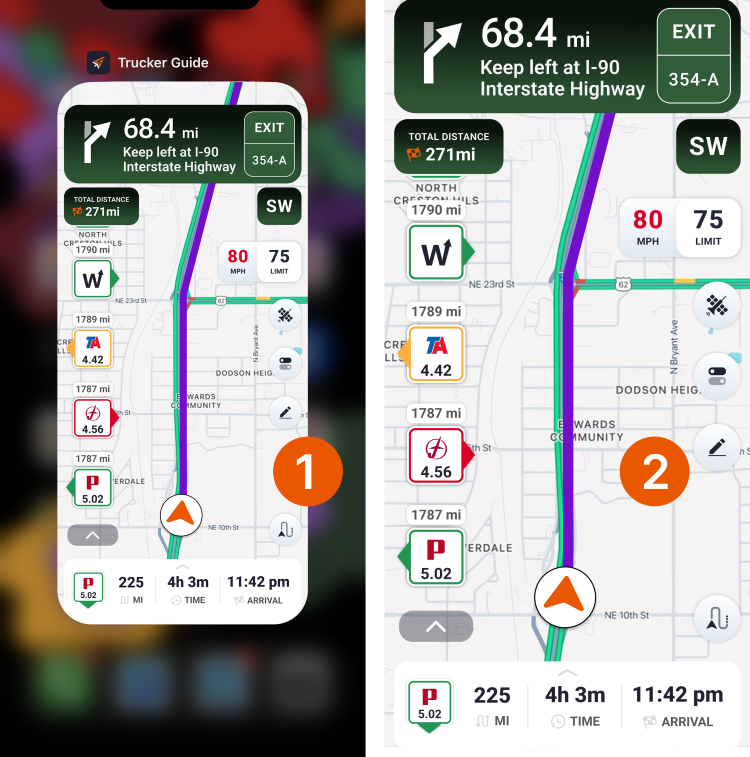
That makes it easier to keep the planned route available without constantly switching back to the navigation screen.
6. Seasonal Closure Avoidance
Road availability can change with the seasons. Some roads close during winter or summer because of weather, maintenance, or seasonal conditions. Trucker Guide can inform about seasonal closures based on truck size, helping drivers avoid planning a trip through a road that is unavailable during the journey.

7. Route From Any Location
Route planning does not always begin at the driver's current GPS location. An owner-operator may be preparing for tomorrow's pickup, checking a delivery route, or planning a repositioning move. Trucker Guide allows drivers to plan a route from any location in the U.S., making it useful for both current trips and upcoming work.
Together, these features make the app more than a basic navigation tool. They support the planning decisions that happen before the truck even starts moving.
How Does Trucker Guide Compare With Other Low-Cost Truck Navigation Apps?
Price is only one way to compare these apps, and each competitor has a different reason a driver might choose it. Beyond the monthly cost, it’s worth looking at the features that can make a real difference on the road, from truck-specific tools and parking information to navigation features and route support.
Trucker Guide takes a broader approach. Rather than competing solely on the lowest price or focusing on one specific feature, it combines truck navigation with live parking, road information, fuel, scales, weather, cameras, and other tools. For an owner-operator, that means the value comes from having more of the trip-planning process in one place.
Download Trucker Guide and see how a more complete truck navigation experience can fit into your daily routes.
Frequently Asked Questions
What is the best budget truck navigation app?
For owner-operators who want truck-safe routing combined with live parking and road information, Trucker Guide is a strong overall option.
Is Trucker Guide cheaper than Trucker Path?
Yes. Trucker Guide's annual plan is $149.99, while Trucker Path Diamond costs $249.99 per year.
What is a good Trucker Path alternative?
Trucker Guide is a practical alternative for drivers who want truck navigation, live parking, and additional tools for planning and managing a trip.
Can Trucker Guide help find truck parking?
Yes. Trucker Guide provides live parking information for truck stops, rest areas, and public parking, along with information on Walmarts that allow overnight truck parking.
Does Trucker Guide work with CAT Scales?
Yes. Drivers can find CAT Scale locations in Trucker Guide and use Weigh My Truck to continue the weighing and payment process.


